
Quick Answer: Should You Choose 70 GSM or 80 GSM?
Choosing between Deli 70 GSM and 80 GSM bond paper depends on your primary task, your budget, and the specific equipment you use. If your priority is high-volume, everyday internal printing—such as single-sided school worksheets, draft documents, or temporary office memos—choosing a reliable option like Deli bondpaper in a 70 GSM weight is the most cost-efficient choice. It provides a lightweight, highly economical solution that minimizes upfront paper expenses without sacrificing basic legibility.
Conversely, 80 GSM bond paper is the superior option for double-sided printing, formal business correspondence, legal contracts, and documents written with heavy-flowing inks. The increased density of 80 GSM paper provides excellent opacity, which prevents text from showing through to the opposite side, and offers the physical stiffness required to pass smoothly through high-speed office copiers without jamming. When making your purchase, evaluate whether your standard workflow relies on single-sided drafting or professional presentation, and verify your printer’s compatibility to ensure seamless operations.
Key Differences Between 70 GSM and 80 GSM Deli Bondpaper
To make an informed decision, it is essential to understand what GSM actually represents. GSM stands for Grams per Square Meter, which is a standardized metric measurement of paper density and weight. It does not measure the physical thickness (or caliper) of the paper directly, though a higher GSM rating generally correlates with a thicker, stiffer sheet because more paper pulp is packed into the same surface area. Deli offers both 70 GSM and 80 GSM options to cater to different operational standards, with each weight providing distinct tactile and physical properties.
Products mentioned in this guide
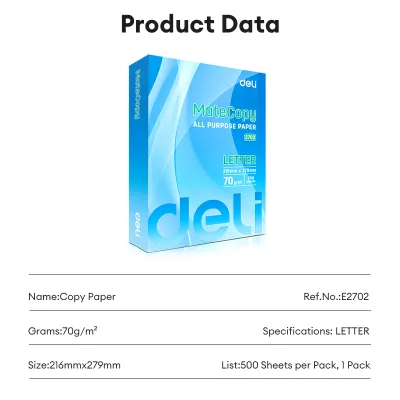
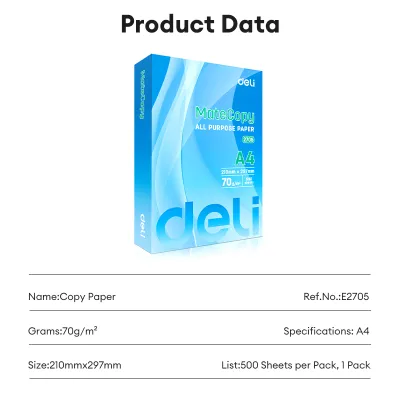
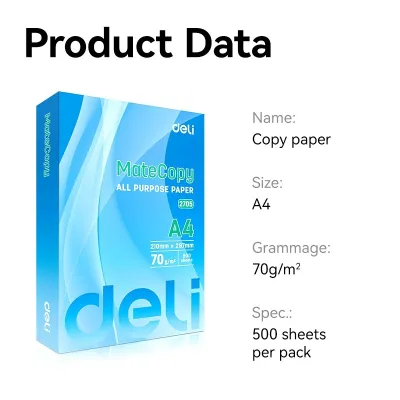
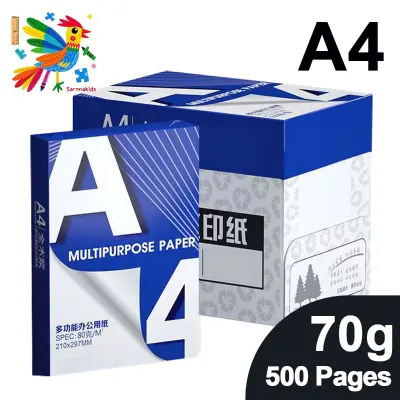
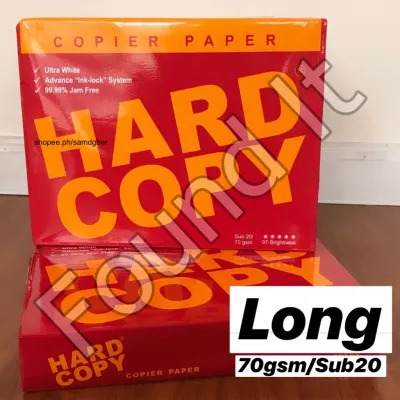
Prices are valid at publication and may change. Please refer to the product page for the latest price.

Deli 70 GSM bond paper is noticeably thinner and more flexible to the touch. When held up to the light, it exhibits a higher degree of translucency, meaning that dark text or images printed on one side will be visible from the back. Deli 80 GSM bond paper, on the other hand, feels sturdier, presents a more substantial hand feel, and offers significantly higher opacity. This extra weight translates directly into structural stiffness, which helps the paper resist bending and curling when subjected to the heat and pressure of office printers.
While both weights are available in standard Philippine paper sizes—including A4, Letter (Short), and Legal (Long)—their performance profiles differ across several key dimensions. The table below outlines the core physical differences between these two common Deli bond paper weights.
| Feature | 70 GSM | 80 GSM |
|---|---|---|
| Relative Thickness | Thinner, more flexible caliper | Thicker, more substantial caliper |
| Opacity / Show-through | Moderate; text is visible on the reverse side | High; minimal show-through of printed text |
| Stiffness / Feedability | Standard; prone to bending in high-heat environments | High; remains flat and feeds reliably |
| Best Suited For | Single-sided drafts, school modules, high-volume copies | Double-sided reports, formal letters, wet ink writing |
It is worth noting that while GSM determines the weight and density of the sheet, other aesthetic factors such as brightness, whiteness, and surface smoothness can vary slightly depending on the specific Deli product line (such as Deli Copier Paper or specialized Deli office series). Always check the packaging label to verify the exact specifications and ensure the paper matches your aesthetic expectations.
Performance in Everyday Office and School Tasks
The physical differences between 70 GSM and 80 GSM paper directly influence how they behave under real-world conditions. In busy office environments and active Philippine school classrooms, paper must interact seamlessly with various office machines, writing instruments, and handling styles. Choosing the wrong weight can lead to frustrating technical issues, ruined prints, or an unprofessional presentation.
Understanding how these weights handle machine feeding, ink absorption, and physical wear allows you to optimize your supply chain. The ideal paper weight is not universally the heaviest or the cheapest; rather, it is the one that matches the specific tools—such as laser printers, inkjet printers, gel pens, or highlighters—that you use on a daily basis.
Printing and Photocopying
When it comes to printing and photocopying, the stiffness of the paper plays a critical role in how sheets travel through the internal paper path of your machine. Modern printers use rubber pickup rollers to grab a single sheet of paper from the tray and guide it through a series of tight turns, past the print heads or toner drum, and out to the exit tray. Deli 80 GSM bond paper possesses the structural stiffness required to withstand this mechanical pull, making it highly reliable for high-speed laser printers and heavy-duty office copiers. The rigidity of 80 GSM paper minimizes the risk of multi-page feeding, where the printer accidentally grabs two or more sheets at once.
In contrast, Deli 70 GSM paper is more flexible and lightweight. While it is highly compatible with well-maintained, modern printers, it can present challenges in older or heavily used office copiers where the paper feed rollers have become worn or dusty. If the paper tray is overfilled, or if the paper has been exposed to ambient moisture, 70 GSM sheets are more likely to crumple, fold, or jam inside the machine. To prevent these operational disruptions, always check your printer’s official user manual to confirm the manufacturer’s recommended minimum paper weight. Many heavy-duty commercial copiers perform best with a minimum of 80 GSM paper, whereas standard home inkjet printers are usually more forgiving of lighter 70 GSM sheets.
Writing and Drawing
The writing experience on Deli bond paper is highly dependent on the type of ink and writing instrument you prefer. If your daily routine involves writing with standard ballpoint pens or pencils, Deli 70 GSM paper is fully adequate. Ballpoint pen ink is oil-based, highly viscous, and dries almost instantly upon contact with the paper fibers. Because the ink does not deeply penetrate the sheet, you can write comfortably on 70 GSM paper without worrying about feathering (where the ink spreads sideways along the fibers) or bleeding through to the next page.
However, if you prefer using gel pens, rollerballs, fine liners, or fountain pens, Deli 80 GSM paper provides a vastly superior experience. These writing instruments utilize water-based or liquid inks that flow much more freely. Thinner 70 GSM paper often lacks the fiber density to absorb these wet inks quickly, which can result in visible bleed-through on the reverse side or even transfer ink onto the desk or the sheet underneath. The denser fiber structure of 80 GSM paper slows down ink penetration, keeping the lines crisp and preventing feathering. To find your ideal combination, perform a simple trial: write a few test lines with your favorite pen on a single sheet of each paper weight and observe if the ink spreads or shadows on the back before committing to a bulk purchase.
Double-Sided Usage
Using both sides of a sheet of paper is an excellent way to reduce paper consumption, lower mailing costs, and minimize your environmental footprint. However, successful double-sided (duplex) printing or writing requires paper with high opacity. Opacity is the measure of how much light is blocked from passing through the sheet. Deli 80 GSM bond paper is engineered with a higher density, which naturally increases its opacity and prevents “show-through”—the distracting shadow of text or graphics printed on the reverse side. This makes 80 GSM the industry standard for double-sided business reports, brochures, and academic essays.
Deli 70 GSM paper, being thinner, has lower opacity. If you attempt to print double-sided documents on 70 GSM paper, the text from page one will clearly show through on page two, making the document difficult to read and unprofessional in appearance. High-coverage graphic elements, bold headings, and dark images will exacerbate this show-through effect, rendering the reverse side virtually unusable. Consequently, 70 GSM paper should be reserved almost exclusively for single-sided applications, such as temporary drafts, internal checklists, or individual school worksheets where the back of the page is left blank.
Cost, Value, and Bulk Purchasing Considerations
From a financial perspective, paper purchasing decisions in schools, copy centers, and corporate offices are driven by cost-per-page calculations. In the Philippine market, Deli 80 GSM bond paper carries a higher price per ream (typically containing 500 sheets) compared to 70 GSM. This price difference is a direct reflection of the manufacturing process: 80 GSM paper requires more raw wood pulp and materials to produce the same number of sheets, resulting in a heavier, denser product.
For high-volume environments like educational institutions printing weekly self-learning modules, or busy accounting departments generating thousands of single-sided internal invoices, the cost savings of choosing Deli 70 GSM can be substantial when aggregated over dozens of boxes. However, purchasing decisions should not be based solely on the upfront retail price of a ream. If choosing 70 GSM paper leads to frequent printer jams, increased machine maintenance costs, or wasted sheets due to misfeeds, those hidden expenses can quickly erase any initial savings.
Conversely, for client-facing environments—such as law firms, real estate agencies, and creative consultancies—the value of using 80 GSM paper lies in the professional impression it conveys. A contract or proposal printed on 80 GSM paper feels substantial, durable, and high-quality, which subtly reflects the professionalism of your business. To get the best value, it is recommended to check current pricing, bulk discounts, and seasonal promotions on official Deli brand stores, local office supply retailers, or established online marketplaces in the Philippines. Maintaining a dual-inventory system—using 70 GSM for everyday internal drafts and 80 GSM for final external documents—often yields the most cost-effective balance.
How to Store Bond Paper in Humid Climates
The tropical climate of the Philippines presents unique challenges for paper storage and maintenance. High relative humidity levels, which frequently exceed 80% throughout the year, can severely degrade the quality of bond paper if it is not stored correctly. Paper is highly hygroscopic, meaning it naturally acts like a sponge, absorbing moisture from the surrounding air. This moisture absorption causes the paper fibers to expand unevenly, leading to wavy edges, tight centers, and physical curling.
Lighter paper weights, particularly Deli 70 GSM, are highly susceptible to humidity-induced damage because they lack the structural weight and rigidity to resist curling. When damp, limp paper is fed into a printer, it struggles to pass through the high-heat fuser unit of a laser printer, resulting in immediate and frequent paper jams. To preserve the integrity of your Deli bond paper and ensure trouble-free printing, implement these low-risk, practical storage practices:
- Keep Paper Wrapped: Keep your bond paper sealed in its original moisture-proof wrapper (ream wrapper) until you are ready to load it into the printer. The wrapper is lined with a thin barrier designed to keep moisture out.
- Store Reams Flat: Always store paper reams completely flat on a shelf or inside a cabinet. Never store them standing vertically on their edges, as this can cause the sheets to sag and warp over time.
- Avoid Extreme Environments: Store your paper in a cool, dry room away from direct sunlight, open windows, damp concrete floors, or direct drafts from air conditioning vents. Sudden temperature changes can cause condensation inside the packaging.
- Load Only What You Need: Avoid overfilling your printer's paper tray, especially if the printer is located in an un-airconditioned room. Only load the volume of paper you expect to use for the day's tasks, and return any remaining sheets to a sealed container or wrapper.
Final Verdict: Choose 70 GSM if… / Choose 80 GSM if…
Selecting the right Deli bond paper weight is a matter of matching the paper’s physical characteristics to your specific operational needs and equipment capabilities. By aligning your daily tasks with the correct GSM, you can optimize your printing budget while maintaining the desired level of presentation quality.
Choose Deli 70 GSM if:
- Your primary tasks involve high-volume, single-sided printing, such as school worksheets, study modules, or internal office drafts.
- You use standard ballpoint pens or pencils for quick, everyday note-taking and scratch paper.
- You operate modern, well-maintained printers that handle lightweight paper weights without feeding issues.
- Minimizing upfront paper costs and maximizing the quantity of sheets per peso is your main priority.
Choose Deli 80 GSM if:
- You frequently print double-sided documents, reports, or presentations that require high opacity to prevent distracting show-through.
- You are printing formal documents, legal contracts, resumes, or client-facing proposals where a premium, sturdy hand feel is essential.
- You use wet-ink writing instruments like gel pens, rollerballs, or fountain pens and want to prevent ink feathering and bleed-through.
- You operate older office copiers or high-speed laser printers that require stiffer paper to prevent frequent paper jams.
Verify first if: Before purchasing Deli bond paper in bulk, always check your printer’s official user manual to confirm its supported paper weight range. Some specialized office equipment or heavy-duty copiers have strict minimum weight requirements that make 80 GSM the mandatory baseline. Additionally, if you are using highly specialized inks or printing high-density color graphics, verify whether a coated or specialized heavy paper finish is required to achieve the best visual results.
Frequently Asked Questions (FAQ)
This section addresses common, specific questions regarding how to select and use Deli bond paper weights in daily school and office routines.
Can I use 70 GSM paper for formal documents like resumes or contracts?
It is highly recommended to avoid using 70 GSM paper for formal documents such as resumes, legal contracts, or client proposals. Because 70 GSM paper is thinner and more flexible, it can feel flimsy and may be perceived by recipients as lower quality or less professional. For documents where first impressions are critical, 80 GSM paper (or even heavier premium weights) should be your default choice. The extra stiffness and substantial hand feel of 80 GSM paper convey a sense of durability, care, and professionalism, ensuring your important documents leave a positive, lasting impression.
Why does my printer jam more often with 70 GSM paper?
Printers often jam more frequently with 70 GSM paper because its lightweight and highly flexible nature makes it more prone to curling, especially when exposed to tropical humidity or static electricity. When the printer’s pickup rollers attempt to pull a sheet, the lack of paper stiffness can cause the sheet to buckle, leading to multi-page feeds or accordion-style jams in the paper path. To resolve this, try fanning the paper stack gently before loading it to break any static cling, adjust the paper tray guides so they are snug but not tight against the stack, and regularly clean the printer’s rubber rollers with a dry, lint-free cloth to remove dust.

Community discussion
Share your experience or ask a question. Comments are reviewed before publication.