
Choosing the right plastic folder organizer depends entirely on how you handle your documents daily. If you need to sort multiple categories on the move, an expanding design offers the best structure. For quick, lightweight access, a standard button closure provides the fastest workflow. When maximum security and spill prevention are your top priorities, a zippered pouch or folder is the most practical choice. This guide breaks down the structural differences, practical trade-offs, and verification steps to help you match the closure mechanism to your specific storage and portability habits.
Understanding the Core Closure Mechanisms
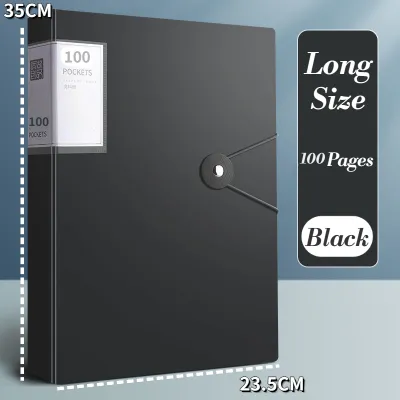
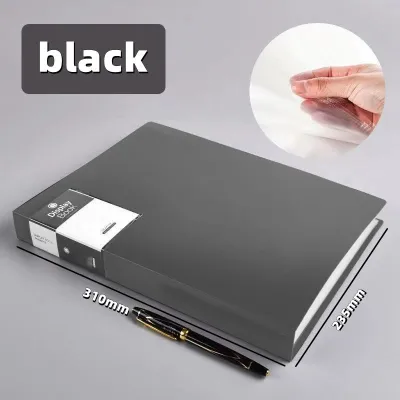
Expanding folders feature an accordion-style gusseted body that expands and contracts based on the volume of paper stored inside. These organizers typically contain multiple internal pockets—often ranging from 5 to 24 compartments—allowing you to categorize documents systematically. The outer flap is usually secured by an elastic band that loops over a plastic button, a string-tie mechanism, or a single snap button. Because they adjust their depth, these folders function as portable filing cabinets, keeping different subjects, utility bills, or project phases separated within a single unit.
Button folders, often referred to as envelope folders, feature a flat or lightly gusseted single-pocket design. The front flap secures to the body using a plastic snap button or press-stud. This design is highly streamlined, keeping the folder’s profile as thin as possible. Unlike expanding folders, button folders are designed for low-volume, everyday document transfers. They are ideal for carrying a small stack of active files, certificates, or homework assignments without adding bulk to your bag.
Products mentioned in this guide
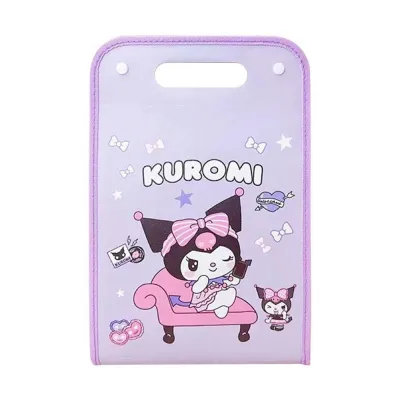
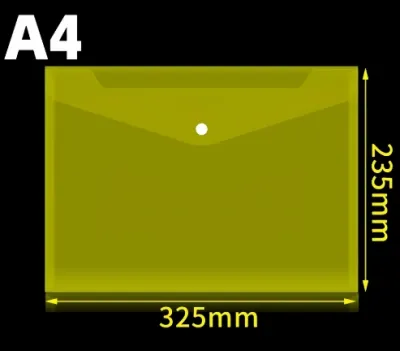
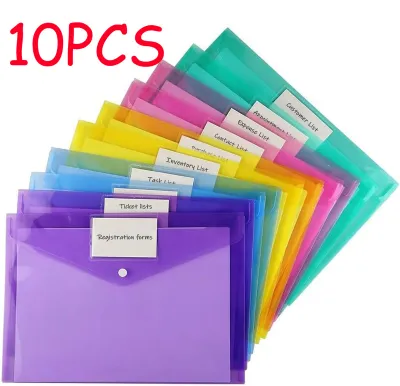
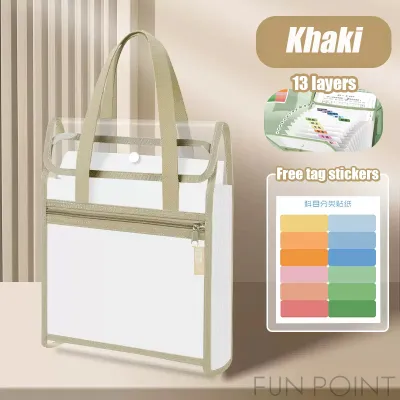
Prices are valid at publication and may change. Please refer to the product page for the latest price.
Zipper folders utilize a continuous zippered track that runs along three sides of the folder or across the top of a pouch. This design completely seals the internal compartment, creating a secure barrier against the outside environment. Zippered options range from simple mesh-reinforced plastic pouches to rigid multi-pocket organizers with an integrated zipper closure. By eliminating the open side gaps common in flap-style folders, the zipper mechanism ensures that even the smallest items remain safely inside.
Key Comparison Dimensions for Document Storage
The structural design of each closure directly impacts how much paper it can hold. Expanding folders excel at managing high volumes of documents because their gussets stretch outward as you add more sheets. However, when fully loaded, they become bulky and require significant space in a bag. Button folders have a strict capacity limit; overstuffing them puts excessive tension on the snap button, causing the flap to pop open or warping the plastic around the fastener. Zipper folders have a fixed boundary defined by the zipper track. While some zippered pouches offer light gussets, attempting to force too many papers inside can cause the zipper teeth to separate or jam.

When you need to retrieve a document quickly during a meeting or class, the closure mechanism dictates your speed. Button folders offer the fastest access, requiring only a simple one-handed tug to unclick the snap. Zipper folders require a more deliberate, two-handed operation to hold the folder body and slide the zipper pull along the track. Expanding folders fall in the middle; while unlooping an elastic band or string tie takes a few seconds, the real time-saver is the internal organization, which allows you to locate a specific categorized document immediately without sorting through a single messy stack.
Document security during transit is a critical factor, especially when commuting through crowded transit stations or walking in unpredictable weather. Zipper folders provide the highest level of security because the sealed track prevents papers from sliding out, even if the folder is held upside down or dropped. They also block dust, debris, and light rain from entering through the sides. Button and expanding folders, by contrast, feature open side folds under the main flap. While the flap keeps large sheets secure, small items like receipts, flash drives, or paperclips can easily slip out of the sides if the folder is tilted.
Over time, daily use and environmental factors like humidity and heat can degrade plastic organizers. On expanding folders, the primary stress points are the heat-welded seams along the bottom and sides of the gussets; constant stretching can cause these seams to split. For button folders, the plastic around the snap button often cracks after repeated opening and closing, or the male and female parts of the snap may lose their grip. Zipper folders are prone to track misalignment, split teeth, or broken pull tabs, especially if the zipper is pulled at an angle or forced over an overfilled pocket.
Matching the Closure Type to Your Workflow
Choose an expanding folder if you need to manage multiple active projects, school subjects, or household bills simultaneously. If you find yourself carrying more than 50 sheets of paper that must remain categorized, the built-in index tabs of an expanding folder will save you from carrying multiple separate folders. It is the ultimate choice for a portable, organized filing system.
Choose a button folder if your daily routine involves carrying a few essential documents, such as contracts, certificates, or daily homework sheets. If you prefer a minimalist setup and want a folder that slides effortlessly into a slim backpack or briefcase without adding bulk, the button folder is your best option. It is also highly cost-effective, costing only a few ₱ per piece, making it ideal for distributing documents to clients or classmates.
Choose a zipper folder if you are constantly on the move, commute in active or crowded environments, or need to carry loose items alongside your papers. If you want peace of mind that your documents are fully enclosed and protected from dust, light moisture, and accidental drops, the zipper folder is the most reliable companion.
Verify first if your documents are unusually thick, printed on heavy cardstock, or require long-term archival preservation. Standard plastic folders made of PVC can release harmful acids over time that cause ink to transfer or paper to yellow. For sensitive documents, verify that the folder is made of acid-free, archival-safe polypropylene. Additionally, check if your documents are standard Letter, A4, or Legal sizes, as some folders may not accommodate the extra length of Legal-size sheets.
What to Verify Before Buying
Before purchasing, always check the exact internal dimensions of the folder. In the Philippines, office and school documents commonly use Letter (8.5 x 11 inches), A4 (8.27 x 11.69 inches), or Legal/long bond paper (8.5 x 13 inches). Many imported plastic folders are designed strictly for A4 paper, meaning a standard Philippine Legal-size document will stick out of the top or sides, preventing the button or zipper from closing properly. This is especially critical for zipper folders, where the fixed track leaves zero room for overhang.
Examine the thickness and flexibility of the plastic material. Thin, highly flexible plastic is lightweight but offers minimal protection against bending and is more prone to tearing at the seams. Thicker, rigid plastic provides a sturdy writing surface and better protection for your papers, but it can crack if dropped or compressed inside a packed bag. Look for folders with reinforced stitched fabric borders or wide, clean heat-welded seams, as these constructions distribute stress more evenly and resist splitting.
Perform a quick physical inspection of the closure hardware. For zipper folders, slide the zipper back and forth to ensure it operates smoothly without catching on the plastic edges or fabric lining. For button folders, press the snap together to feel if it engages with a firm, audible click, and pull it apart to ensure the plastic surrounding the button does not stretch or deform. If choosing an expanding folder with an elastic band, pull the band to verify it has sufficient tension and is securely anchored to the back cover with metal eyelets or reinforced plastic tabs.
Frequently Asked Questions (FAQ)
Can I replace a broken button or zipper on a plastic folder?
Replacing a broken closure on a plastic folder is rarely practical because the hardware is typically heat-fused or molded directly into the plastic body during manufacturing. If a plastic snap button cracks or tears away from the flap, attempting to glue it back is temporary at best, though you can sometimes install a replacement metal or plastic snap using a specialized hand-press tool. For a split or broken zipper track, the cost and effort of sewing a new zipper onto a plastic sheet usually exceed the price of a new folder. If the closure fails completely, transitioning the folder to stationary desktop storage is often the most practical solution.
How do I clean and maintain the closure mechanisms?
To prolong the life of your plastic folder and its closure, wipe the surfaces regularly with a soft, damp microfiber cloth to remove dust and sweat. Avoid using harsh chemical solvents, alcohol, or acetone, as these substances can degrade the plastic, make it brittle, or cause it to cloud. If a zipper track becomes stiff or sticky, clear any trapped dust or debris from the teeth using a dry, soft-bristled toothbrush. Keep your folders out of direct sunlight and avoid leaving them inside a hot car, as extreme heat can warp the plastic body, melt heat-sealed seams, and cause elastic bands to lose their stretch.

Community discussion
Share your experience or ask a question. Comments are reviewed before publication.