
Choosing the most suitable kids’ drawing board depends on matching the board’s physical feedback and tool size with your child’s current fine motor skills. For toddlers, large, mess-free surfaces like magnetic or water-based boards support broad shoulder and elbow movements. As children transition to preschool, pressure-sensitive LCD writing tablets and reusable cloth boards help develop the finger control needed for early writing. Finally, school-age children benefit from traditional clipboards and light tracing boards that accommodate standard paper sizes and precise artistic tools.
Matching Drawing Board Types to Motor Skill Milestones
Children develop fine motor skills in a predictable sequence, moving from gross motor movements to precise, isolated finger actions. Toddlers typically use their entire arm, starting from the shoulder and elbow, to make broad strokes across a surface. During this stage, they rely on a palmar grasp, holding drawing tools with their entire fist. Drawing boards designed for this age group must accommodate these sweeping movements and feature thick, chunky styluses that do not require a refined grip.
As children reach preschool age, they begin to transition to a static tripod grasp, using their fingers and wrist to control the drawing tool. This developmental shift allows them to attempt more structured shapes, letters, and numbers. Drawing boards for preschoolers should introduce a slight amount of physical resistance, which helps build hand strength and provides the sensory feedback necessary for learning control.
Products mentioned in this guide


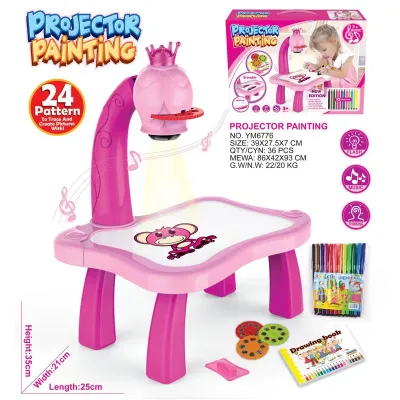
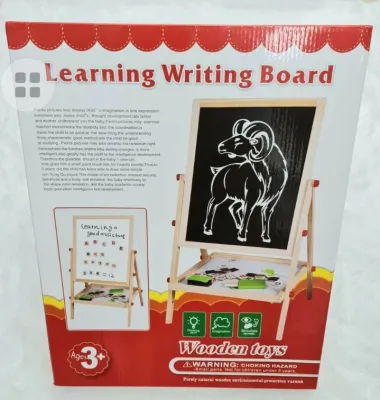
Prices are valid at publication and may change. Please refer to the product page for the latest price.
By the time children reach school age, they have usually developed a dynamic tripod grasp, allowing for precise finger movements while keeping the wrist stable. They can handle standard pencils, fine-tip markers, and detailed tracing tools. At this stage, the focus shifts from simple sensory play to detailed sketching, coloring, and academic tasks, requiring boards that support standard paper integration and adjustable angles.
The core categories of drawing boards—magnetic, water-filled, LCD, and traditional clipboards—each offer distinct physical feedback and resistance levels. Matching the board’s mechanism to your child’s grip strength and motor milestones prevents fatigue and supports natural hand-eye coordination. Choosing the wrong type too early can lead to frustration, while choosing an overly simplistic board for an older child may limit their creative expression.
Suitable Drawing Boards for Toddlers (Ages 1–3)
Toddlers explore their creativity through tactile feedback and cause-and-effect play, making durability and safety the primary considerations. At this stage, drawing boards must be mess-free, highly durable, and designed without small, detachable parts that could pose safety hazards.

Look for boards with chunky, easy-to-grip styluses that encourage early scribbling without requiring precise finger pressure. Always verify the manufacturer’s age recommendation and inspect the physical seals of the board before introducing it to your toddler.
Magnetic Drawing Boards
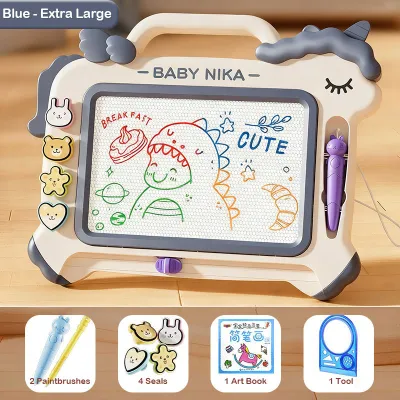
Magnetic drawing boards use a classic honeycomb screen filled with magnetic powder and iron filings that rise to the surface when touched by a magnetic stylus. This provides a mess-free drawing experience, making it suitable for living rooms or car rides in tropical climates where liquid markers might dry out or stain upholstery.
When evaluating a magnetic board, check that the magnetic pen is securely tethered to the main frame with a thick, durable cord. This prevents the pen from becoming a lost item or a potential hazard.
Examine the sliding eraser mechanism at the bottom of the board. It should slide smoothly across the track without requiring excessive force, and the gap around the slider must be narrow enough to prevent small fingers from getting pinched.
Keep in mind that the contrast and line thickness of a magnetic board are determined by the density of the internal magnetic particles. Before purchasing, test the screen by drawing a few lines to ensure the image is clear and erases completely in one or two slides.
Water and Peg Boards
Water-filled drawing boards and peg boards offer sensory feedback that helps toddlers develop hand-eye coordination without leaving permanent marks on walls or furniture. Water boards typically feature a fabric surface that changes color when wet, allowing children to paint using water-filled brushes or pens.
When choosing a water board, inspect the seams and water-filled compartments for leak-proof seals. Because tropical humidity can slow down drying times, ensure the board is stored in a well-ventilated area after use to prevent mold, and always supervise your child to ensure they do not attempt to open the water reservoirs.
Peg boards, which involve inserting colorful plastic pegs into a grid, help toddlers practice the pincer grasp. Ensure that all included pegs are large enough to avoid choking hazards and that they fit into the board smoothly without requiring excessive physical force.
Check that the pegs are made of durable, shatter-resistant plastic that can withstand being dropped on hard floors.
Suitable Drawing Boards for Preschoolers (Ages 3–5)
Preschoolers are beginning to transition from random scribbling to drawing recognizable shapes, letters, and numbers. Their attention spans are growing, and they require drawing boards that offer more deliberate control and slight resistance to mimic real paper.
At this stage, the drawing experience should bridge the gap between sensory play and structured pre-writing exercises. Look for boards that allow for tracing or feature guided lines to support early literacy skills.
LCD Writing Tablets
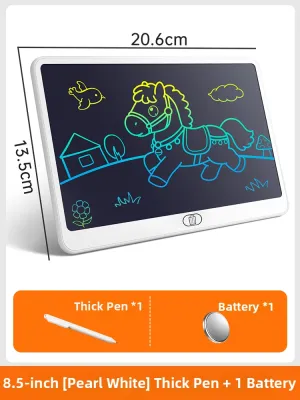
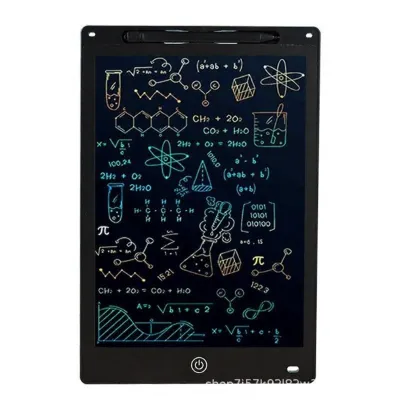
LCD writing tablets use a pressure-sensitive liquid crystal screen that displays lines based on how hard the child presses the stylus. This mechanism closely mimics the natural resistance of pen on paper, making it a useful tool for practicing letter strokes and fine motor control.
A crucial feature to verify is the screen lock switch, usually located on the back or side of the tablet. This switch prevents the child’s drawing or writing from being accidentally erased when they press the main clear button, saving them from frustration during longer drawing sessions.
Safety is a key consideration with electronic toys, so always check that the battery compartment is securely locked with a screw. This prevents young children from accessing the button cell batteries inside, which pose severe safety risks if swallowed.
Review the manufacturer’s specifications regarding screen brightness and viewing angles. High-quality LCD tablets rely on reflected ambient light rather than bright backlights, ensuring the screen is comfortable to view in well-lit rooms or shaded outdoor spaces.
Reusable Foam and Cloth Boards
Reusable foam and cloth boards provide a soft, tactile alternative to rigid plastic screens. These boards typically work with washable markers or dry-erase pens, allowing preschoolers to practice drawing and wipe the surface clean with a damp cloth.
Before purchasing, verify the marker compatibility of the board and ensure that any included markers are certified non-toxic and easily washable from skin and clothing. In warm, humid climates, washable ink is highly preferred as it is less likely to leave permanent stains on fabrics or furniture.
Foam boards offer a cushioned writing surface that can absorb the heavy-handed pressure typical of early writers, preventing paper tearing. Cloth boards, on the other hand, are highly flexible and can be easily folded or rolled up, making them excellent travel companions for long car trips or flights.
Suitable Drawing Boards for School-Age Children (Ages 6+)
As children enter school, their artistic needs shift toward detailed sketching, coloring, and completing school assignments. They require stable, rigid surfaces that can accommodate standard paper sizes and support a variety of traditional drawing media.
Ergonomics and stability become key considerations at this stage. Look for boards that can be adjusted to different angles to promote good posture and reduce neck strain during extended drawing or writing sessions.
Traditional Clipboards and Sketch Boards
Traditional clipboards and sketch boards are simple yet effective tools that provide a rigid, portable surface for drawing on standard paper. They allow school-age children to use pencils, colored markers, and charcoal without being limited by a digital screen.
When selecting a clipboard, carefully inspect the clip mechanism. The spring should be strong enough to hold multiple sheets of paper securely, but the edges of the clip must be smooth and rounded to prevent paper tearing or accidental finger pinches.
Compare the materials based on where the board will be used. Lightweight plastic clipboards are excellent for portable use and outdoor sketching, while heavier wooden or medium-density fiberboard (MDF) options offer superior stability for desk-based work.
Ensure the board’s dimensions comfortably accommodate standard paper sizes, such as A4 or Letter, providing ample space for your child to complete school projects or detailed illustrations.
Light Tracing Boards
Light tracing boards, or light boxes, feature an illuminated flat surface that allows children to trace drawings, learn calligraphy, or practice basic animation techniques. These boards are engaging for older children who want to refine their line work and replicate complex designs.
Check the product packaging for adjustable brightness levels and eye-care certifications, which ensure the light source is diffused evenly and does not cause eye strain during use.
Verify the power source of the tracing board, as some models require a continuous USB connection while others run on rechargeable batteries. A scratch-resistant acrylic surface is also beneficial to ensure the board remains clear and usable even after repeated contact with sharp pencil tips.
Safety, Durability, and Usability Checks Before Purchase
When shopping for a kids’ drawing board, conducting a thorough safety and quality check is essential to ensure a long-lasting experience. Start by inspecting the physical construction of the board, looking for smooth, rounded corners and robust frames that can withstand accidental drops.
For electronic boards, such as LCD tablets and light tracing boards, verify that the battery compartment is secured with a screw and that the charging ports are sturdy. Avoid products with small, easily detachable parts like loose stylus caps or small magnetic stamps if you have younger children in the household.
Material safety is another critical factor, especially for boards that involve liquids or markers. Look for clear non-toxic certifications on the product labels, such as EN71 or ASTM D-4236, which indicate the materials have been tested for safety. For water-based boards, ensure the fabric and plastic components are free from strong chemical odors.
Consider the ergonomics and weight of the board relative to your child’s age. A board that is too heavy will be difficult for a toddler to carry, while a board without a built-in handle or stand may lead to uncomfortable drawing postures for older children. Look for models that feature integrated carrying handles or fold-out stands for versatile use.
Finally, check the seller’s return and warranty policies, particularly when purchasing electronic drawing boards. Having a clear return window allows you to test the screen responsiveness, brightness, and battery life at home and ensure the product meets your expectations before committing to the purchase.
Frequently Asked Questions (FAQ)
Are LCD writing tablets safe for young children's eyes?
Yes, high-quality LCD writing tablets are generally safe for children’s eyes because they do not emit their own light. Unlike smartphones or tablets that use bright, blue-light-emitting backlights, LCD writing screens rely on reflected ambient light to make the drawings visible. This means the screen is only as bright as the room you are in, significantly reducing eye strain. However, to ensure optimal visual comfort, always make sure your child uses the tablet in a well-lit room and encourage regular breaks from close-up activities.
How do I clean a magnetic drawing board if the screen gets stuck or smudged?
If a magnetic drawing board shows persistent dark spots or the screen appears smudged, start by sliding the eraser back and forth slowly several times. Sometimes, magnetic particles can become temporarily stuck, and repeated passes of the internal magnet will realign them. Check the eraser track on the back or bottom of the board to ensure no small debris or dust is blocking the slider’s path. To clean the outer screen, wipe it gently with a dry, soft microfiber cloth; avoid using liquid cleaners, rubbing alcohol, or pressing down hard on the screen, as moisture and excessive pressure can permanently damage the delicate internal honeycomb structure.

Community discussion
Share your experience or ask a question. Comments are reviewed before publication.