
Organizing documents on the go requires a system that balances mobility with structure. A clipboard folder serves as a portable desk, combining a rigid writing surface with protective internal storage. In high-humidity environments like the Philippines, keeping loose papers exposed to moisture, sweat, or sudden rain can quickly ruin important records. By establishing a systematic layout within your clipboard folder, you can protect your documents, find critical information in seconds, and maintain a professional workflow wherever you work.
Using a clipboard folder effectively prevents the common frustration of crumpled pages and misplaced notes. Whether you are a student moving between classrooms, a medical professional doing rounds, or a field engineer inspecting a site, this simple tool keeps your active paperwork secure. Transitioning from a chaotic stack of papers to a streamlined clipboard system requires a deliberate approach to selecting tools, sorting content, and maintaining the folder.
Gather the Right Supplies for Your Clipboard Folder
Before organizing your documents, you must select a clipboard folder that matches your daily environment and paper requirements. Clipboard folders generally feature a rigid outer cover that folds over to protect your papers, an internal pocket system, and a heavy-duty metal or plastic clamp on either the front cover or the inside back panel. This combination allows you to write comfortably without a desk while keeping confidential documents shielded from public view.
Products mentioned in this guide
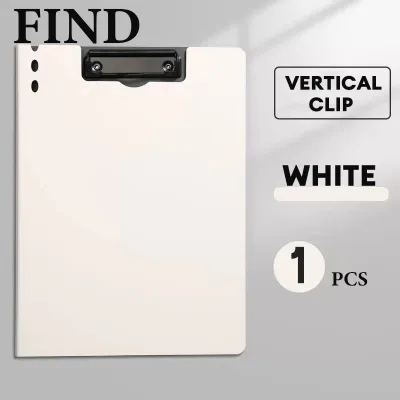
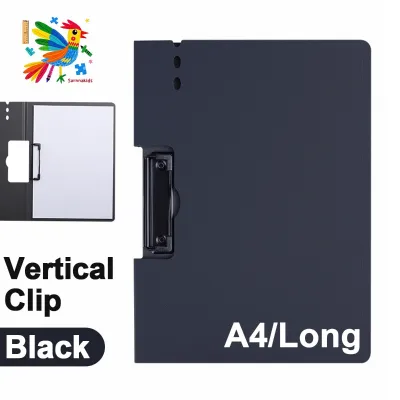
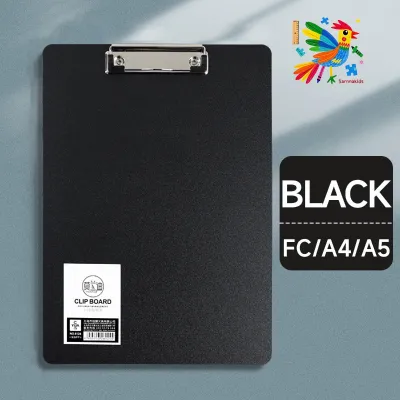
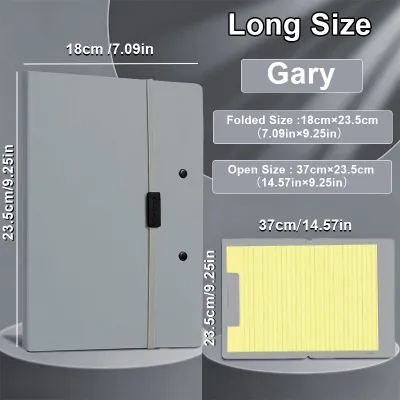
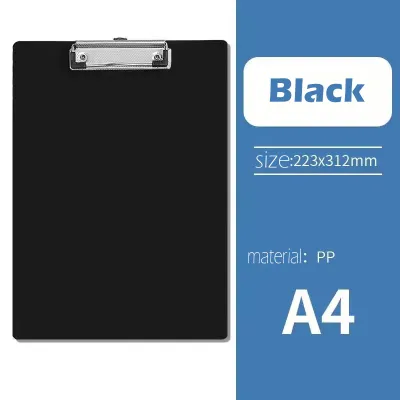
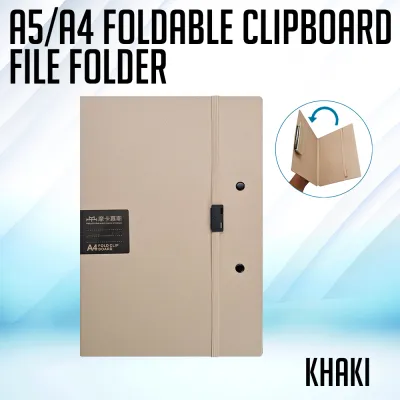
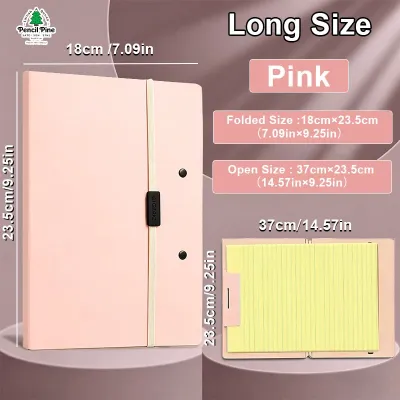
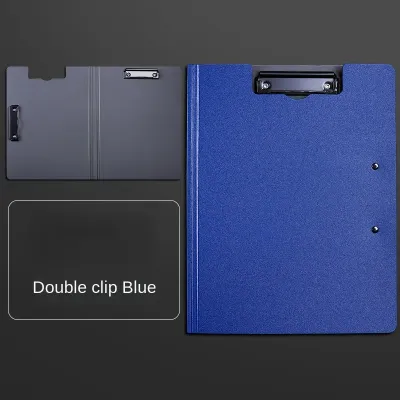
Prices are valid at publication and may change. Please refer to the product page for the latest price.
When choosing your folder, pay close attention to the paper sizes you use most frequently. In local offices and schools, standard Letter size (often referred to as short bond paper) and A4 size are the most common. Ensure the clipboard folder you select is slightly larger than your largest document to prevent the edges of your papers from fraying or hanging outside the protective cover.
Material selection is equally critical, especially when dealing with tropical climates. Cardboard or paperboard clipboard folders are lightweight, but they tend to absorb moisture from the air, leading to warping and soft corners over time. Polypropylene or heavy-duty plastic folders offer excellent resistance to humidity, sweat, and light splashes, making them a more durable choice for active daily use.
To complete your mobile filing system, gather a few essential accessories. You will need a set of thin tab dividers or colored separator sheets that fit within the folder without protruding past the cover edges. Keep a pack of small sticky notes or removable index flags nearby for temporary labeling. Finally, ensure you have a reliable pen that fits securely into the folder’s built-in pen loop or interior pocket to avoid searching for a writing instrument when you need to sign or note down information quickly.
Audit and Sort Your Papers Before Filing
An organized clipboard folder starts with a clean slate. Before placing any document inside your new folder, gather all the papers you currently carry and spread them out on a flat surface. This initial audit allows you to assess what is truly necessary for your daily tasks and what is simply taking up valuable space.

Begin by discarding or archiving outdated drafts, duplicate copies, and completed forms that no longer require active attention. Carrying unnecessary paper adds weight, strains the folder’s clamping mechanism, and makes it harder to find critical documents quickly. If a document is finished, transfer it to a permanent storage box or a digital archive rather than letting it linger in your mobile folder.
Next, group your remaining papers into logical categories based on your specific workflow. You might sort them by project, client, academic subject, or priority level. For instance, if you manage multiple tasks, you can create separate piles for urgent items requiring immediate signatures, reference sheets you consult daily, and blank forms for upcoming data entry.
Once sorted, identify which papers require immediate, frequent access and which ones are purely for reference. Your active, high-priority documents should be designated for the primary clipboard clamp or the frontmost pocket. Reference materials, such as calendars, contact lists, or project guidelines, can be placed in the back pockets or behind a divider where they remain secure but out of the way of your daily writing tasks.
Set Up the Internal Layout of Your Clipboard Folder
Configuring the physical layout of your clipboard folder determines how smoothly you can access information during a busy workday. Most clipboard folders feature a left-hand interior pocket and a right-hand writing surface equipped with a metal clamp. Understanding how to utilize these distinct zones prevents clutter and protects your documents from wear and tear.
Use the left-hand interior pocket for loose, temporary, or incoming papers that do not yet have a permanent place. This pocket is ideal for storing business cards, receipts, or blank forms that you need to hand out to clients or classmates. Avoid stuffing this pocket to capacity, as an overfilled pocket can prevent the clipboard folder from closing flat, exposing your documents to dust and moisture.
For the right-hand side, use the central clamping mechanism to secure your primary, active documents. If you are managing multiple projects or subjects under a single clamp, insert tab dividers or colored separator sheets to create distinct sections. Placing a colored sheet between different document groups allows you to flip directly to the section you need without sliding papers out from under the clip.
Position your most frequently accessed document at the very top of the clamped stack. If you must fill out a specific form multiple times throughout the day, keeping a fresh copy clamped on top ensures you can write immediately without flipping through other pages. Keep your reference sheets at the bottom of the clamped stack, serving as a protective backing for your active writing sheets.
Load, Secure, and Label Your Documents for Quick Access
With your layout planned, carefully load your sorted papers into the clipboard folder. Open the clamp fully and align the top edges of your papers before lowering the clip. Misaligned papers can easily bend, crease, or tear when the folder is closed or carried inside a backpack or briefcase.
Avoid the temptation to overstuff the folder’s clamp or pockets. When too many sheets are forced under a single clip, the spring tension can weaken over time, reducing its ability to hold papers securely. Furthermore, excessive paper thickness can cause the pages to pinch and tear at the grip point when you attempt to turn them.
Apply visual cues to make document retrieval effortless. Use removable edge tabs or sticky notes to label each section you created with your dividers. Color-coding your tabs—such as red for urgent tasks, blue for reference, and green for completed forms—allows you to navigate your folder at a glance without needing to read individual page headers.
Once everything is loaded, perform a quick check of the folder’s functionality. Ensure the clip holds the active papers firmly in place when you shake the folder gently. Flip through the pages to verify that they turn smoothly without catching on the clip mechanism or tearing at the top margin. If the pages do not turn easily, reduce the number of sheets under the clamp.
Maintain and Update Your Clipboard Folder Regularly
A clipboard folder is an active, evolving tool rather than a permanent archive. Without regular maintenance, even the most carefully organized folder will eventually accumulate clutter, receipts, and outdated notes. Establishing a simple upkeep routine ensures your folder remains functional and reliable.
Schedule a brief weekly review to clean out your clipboard folder. Take five minutes at the end of every week to remove completed forms, old sticky notes, and papers that are no longer relevant to your current tasks. This habit prevents the folder from becoming bulky and ensures you always start your week with only the essential documents you need.
During your weekly review, transfer completed projects and signed documents to standard archive boxes, ring binders, or digital storage. Keeping these papers in your clipboard folder exposes them to unnecessary wear, dust, and potential loss. Archiving them promptly keeps your active folder light and focused on current priorities.
Finally, take a moment to inspect the physical condition of your clipboard folder. Wipe down the plastic or vinyl surfaces with a slightly damp microfiber cloth to remove dirt, sweat, or ink stains. Check the metal clip for any signs of rust or loss of tension, especially if you work in humid or coastal environments. If the clip begins to slip or the cover cracks, consider replacing the folder to ensure your documents remain fully protected.
Frequently Asked Questions (FAQ)
How many pages can a standard clipboard folder hold securely?
To determine the safe capacity of your specific clipboard folder, always check the manufacturer’s specifications or product packaging. Clipboard folders vary widely in design, with some light-duty models intended for only a dozen sheets, while heavy-duty storage clipboards can accommodate larger stacks.
Instead of relying on a universal page count, observe the physical signs of overstuffing on your specific folder. If papers begin to slip out when you carry the folder, if the clip fails to close completely flat against the board, or if pages show signs of tearing at the grip point, you have exceeded the safe capacity.
Additionally, adjust your document load based on the thickness and weight of the paper you use. Standard 70 gsm copy paper is thinner and allows you to carry more sheets, whereas heavier 80 gsm or 100 gsm paper will reach the clip’s physical limit much faster. When in doubt, keep the clamped stack under thirty sheets to maintain optimal grip and prevent page damage.
Can I use a clipboard folder for long-term archival storage?
Clipboard folders are designed primarily for active, mobile, and temporary document management rather than long-term preservation. Leaving papers clamped under a metal or plastic clip for extended periods can cause permanent damage to your documents.
Over time, the constant pressure of the clip can leave deep creases, indentations, or tears on your papers. In humid environments, metal clips can rust, leaving permanent orange or brown stains on your important records. Furthermore, the open edges of a clipboard folder do not offer complete protection against dust, insects, or light exposure, which can yellow or degrade paper over several years.
For safe long-term storage, transfer your completed or historical documents to acid-free folders, standard ring binders, or dedicated archive boxes. These storage solutions distribute pressure evenly, protect papers from environmental factors, and ensure your records remain in pristine condition for years to come.

Community discussion
Share your experience or ask a question. Comments are reviewed before publication.