
Choosing the right sticker paper finish for your bullet journal depends entirely on how you plan to use it. If your journaling style involves heavy writing, daily planning, and quick notes, matte sticker paper is the most practical choice because it absorbs ink quickly and blends naturally with your journal pages. For those who prioritize vibrant, high-contrast printed photos, decorative illustrations, and durability, glossy sticker paper offers a polished, professional look. If you prefer borderless designs, delicate overlays, and seamless layering over existing text or grids, transparent sticker paper is the ideal option.
Selecting the wrong finish can lead to frustrating issues like smudged ink, clogged printer nozzles, or stickers that peel off in humid weather. By understanding the physical properties of matte, glossy, and transparent finishes, you can match your sticker paper to your favorite writing tools and printing equipment, ensuring a smooth and enjoyable journaling experience.
Quick Guide: Which Finish Fits Your Bullet Journal?
Every bullet journaler has a unique style, ranging from minimalist trackers to elaborate, artistic spreads. The sticker paper finish you choose should complement your daily routine and the specific stationery tools you already own.
Products mentioned in this guide
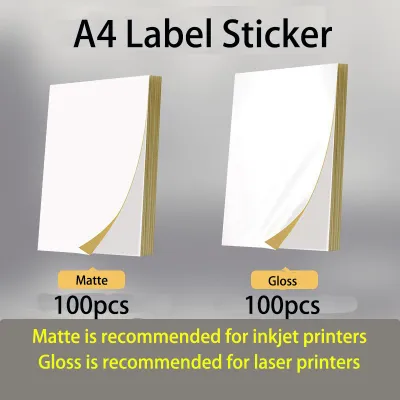
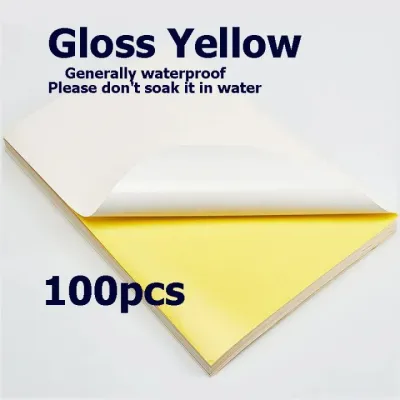
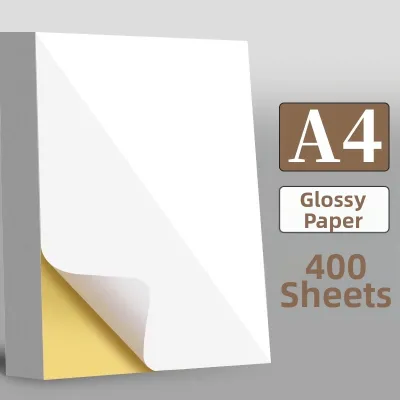
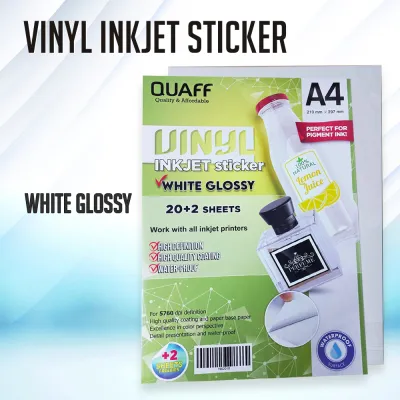
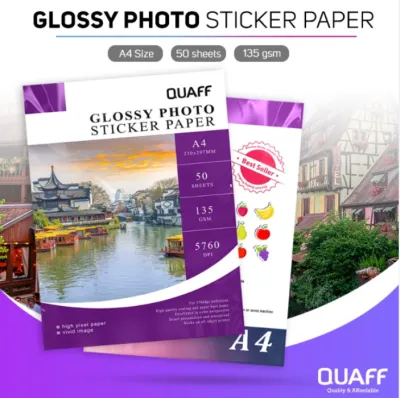
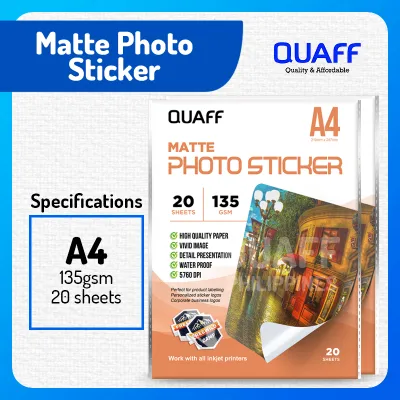
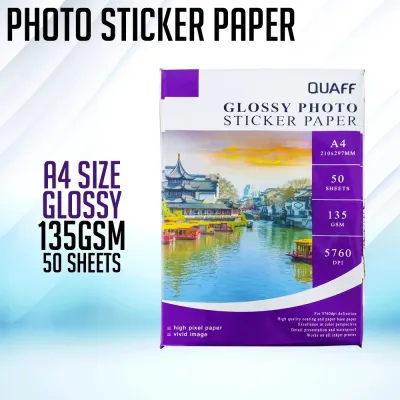
Prices are valid at publication and may change. Please refer to the product page for the latest price.
Matte sticker paper features a flat, non-reflective surface that closely mimics standard notebook paper. It is highly compatible with almost all writing instruments, including gel pens, fountain pens, and highlighters. Because it absorbs ink rapidly, it is the go-to option for functional planners who need to write on their stickers immediately without worrying about smudging.
Glossy sticker paper has a smooth, shiny coating that reflects light. This finish is designed to lock in printed colors, making graphics, photos, and digital art look incredibly vibrant and sharp. However, this non-porous surface is highly resistant to water-based inks, meaning standard gel pens and fountain pens will pool and smear. It requires permanent markers or specialized oil-based pens to write on.
Transparent sticker paper is made from a clear plastic film, allowing your journal’s underlying dot grid, lines, or background colors to show through. It is perfect for adding delicate botanical drawings, hand-lettered quotes, or functional icons without creating a blocky white border. Like glossy paper, its plastic nature requires specific pens and extended drying times to prevent smearing.
Matte Sticker Paper: Best for Writing and Planning
Matte sticker paper is the workhorse of the bullet journaling community. Its primary advantage is its paper-like texture, which allows standard writing tools to glide smoothly across the surface. The uncoated fibers of matte paper draw ink deep into the material, resulting in exceptionally fast drying times.

If you use fountain pens, fine liners, or gel pens, matte sticker paper is highly compatible. You can write your daily to-do lists, habit trackers, or calendar headers directly onto the sticker without experiencing the feathering or bleeding that often occurs on low-quality paper. The flat finish also ensures that your stickers blend seamlessly with your journal pages, creating a cohesive look that does not distract from your handwriting.
However, matte sticker paper does have limitations when it comes to visual reproduction. Because the paper fibers absorb the ink, printed colors can appear slightly muted or less saturated compared to how they look on a digital screen. Additionally, standard matte paper has very little resistance to moisture. In humid tropical environments, unprotected matte stickers can absorb ambient moisture over time, which may cause the edges to curl slightly or make the paper feel soft.
To get the most out of matte sticker paper, look for high-density or premium matte options. These variations feature a light, specialized coating that improves color vibrancy while retaining the excellent ink absorption and non-reflective qualities of standard matte paper.
Glossy Sticker Paper: Best for Visuals and Durability
For journalers who treat their pages as a visual scrapbook, glossy sticker paper is an excellent choice. The glossy coating acts as a barrier that keeps printed ink on the very surface of the paper, preventing it from spreading or sinking into the fibers. This results in incredibly sharp details, deep contrast, and rich, saturated colors.
This finish is particularly well-suited for printing personal photos, colorful mood trackers, and decorative theme elements. The shiny surface adds a professional, high-quality feel to your journal spreads, making printed designs pop against the matte background of your notebook pages. Furthermore, the glossy coating provides a layer of physical protection, making the stickers resistant to minor scratches, handling wear, and light moisture.
Despite its visual appeal, glossy sticker paper presents significant writing challenges. Because the surface is non-porous, water-based inks cannot penetrate the coating. If you attempt to write on a glossy sticker with a standard gel pen, rollerball, or fountain pen, the ink will pool on the surface and smudge at the slightest touch. To write on glossy stickers, you must use permanent pigment liners, oil-based ballpoint pens, or multi-surface markers.
Additionally, glossy paper requires careful handling during the printing and cutting process. Fingerprint oils can transfer easily to the shiny surface, which can interfere with ink adhesion and leave visible marks. Handling the sheets by the edges and allowing printed designs to dry completely before touching them will help preserve the pristine finish.
Transparent Sticker Paper: Best for Seamless Layering
Transparent sticker paper offers a unique aesthetic that is impossible to achieve with opaque papers. Because the backing material is completely clear, the sticker integrates flawlessly into your journal layout, making the printed design look as if it were drawn directly onto the page.
This seamless integration is highly beneficial when layering stickers over patterned backgrounds, colored paper, or existing text. For example, you can place a transparent floral sticker directly over a watercolor wash or a hand-drawn grid without obscuring the details underneath. It is also an excellent tool for tracing complex diagrams or templates that you can print out and stick directly into your journal.
Working with transparent sticker paper requires a basic understanding of how home printers handle color. Standard inkjet and laser printers do not print white ink; instead, they leave white areas blank, relying on the white background of the paper to complete the image. When you print a light-colored design on transparent paper, the colors will appear translucent. If you place that sticker onto a dark or highly patterned journal page, the design may become difficult to see. For the best results, stick to high-contrast, bold, or dark-colored designs when using transparent sheets.
Writing on transparent sticker paper also demands patience. Like glossy paper, the plastic film (usually polyester or vinyl) is non-porous. Any writing or drawing done on top of the sticker will require specialized permanent pens and a longer drying period. In humid conditions, this drying process can take even longer, so it is wise to let your decorated pages sit open for several minutes before closing your journal.
Matching Your Tools: Printer and Pen Compatibility
Before purchasing a large pack of sticker paper, it is crucial to verify that the material is compatible with both your home printer and your favorite writing instruments. Using incompatible materials can result in poor print quality, jammed machinery, or ruined journal pages.
Printer Technology Requirements
Printers handle paper and ink in fundamentally different ways, which dictates which sticker finishes they can safely accept.
- Inkjet Printers: These devices spray liquid ink onto the paper. They work exceptionally well with matte sticker paper and specially coated glossy or transparent sheets designed to absorb liquid ink. If you attempt to use uncoated plastic sheets in an inkjet printer, the ink will never dry and will run off the page.
- Laser Printers: These machines use heat and pressure to fuse dry toner powder onto the page. Laser printers require heat-resistant sticker paper. Standard inkjet-only glossy or transparent sheets can melt under the high temperatures of a laser printer, potentially damaging the internal drum or fuser unit. Always check the packaging for a explicit "laser compatible" label.
Pen and Ink Testing
Because different sticker finishes interact uniquely with various ink formulas, conducting a quick compatibility check will save you from accidental smudges.
- Water-Based Inks: Gel pens, fountain pens, and water-based brush markers work beautifully on matte sticker paper. They are highly likely to smear or pool on glossy and transparent finishes.
- Alcohol and Oil-Based Inks: Permanent markers, ballpoint pens, and pigment-based liners are highly effective on glossy and transparent surfaces. They dry quickly and resist smudging, though they may bleed through standard matte sticker paper if the paper backing is thin.
Adhesive and Paper Weight Considerations
The weight of your journal paper plays a significant role in how well a sticker adheres. Heavyweight journal pages (such as 160 gsm) can easily support thick, heavy glossy or vinyl stickers without warping. However, if you use a journal with thinner pages (such as 52 gsm or 68 gsm paper), heavy stickers can cause the pages to sag or tear. For thinner journal papers, lightweight matte or thin transparent stickers are much more suitable as they do not add excessive bulk or tension to the binding.
How to Test and Verify Sticker Paper Before Committing
To avoid wasting expensive materials or damaging your favorite journal, establish a simple testing routine whenever you try a new brand or finish of sticker paper. This verification process ensures that your tools work harmoniously before you begin a major journaling project.
First, perform a localized ink swatch test. Cut a small scrap of the sticker paper and write on it using a variety of your go-to pens. Note how long it takes for each ink to dry by gently tapping the writing at intervals of 5 seconds, 30 seconds, and two minutes. This test will reveal exactly which pens are safe to use on that specific finish and how long you must wait before turning the page.
Second, evaluate the adhesive strength and paper compatibility. Apply a small test sticker to an inconspicuous back page of your journal. Leave it in place for 24 hours, then check for any signs of oil bleeding through the page, warping, or lifting at the corners. If you prefer repositionable stickers, try gently peeling the test swatch off to see if it lifts the journal’s paper fibers or tears the page. This is especially important in humid climates, where moisture can alter how adhesives behave over time.
Finally, test the cutting and peeling experience. Use your scissors, craft knife, or cutting machine to make a few test cuts. Observe whether the paper cuts cleanly or if the edges fray. For kiss-cut stickers (where only the top sticker layer is cut, leaving the backing intact), verify that the backing paper splits easily and does not tear when you attempt to peel the sticker away. Taking these few diagnostic steps will ensure your creative process remains frustration-free.
Frequently Asked Questions (FAQ)
Can I use regular sticker paper in a thermal printer?
No, you cannot use standard matte, glossy, or transparent sticker paper in a thermal printer. Thermal printers do not use traditional ink or toner; instead, they rely on a heated printhead to activate a chemical reaction on specialized, heat-sensitive paper. If you run standard sticker paper through a thermal printer, no image will appear because the paper lacks this heat-reactive coating. To print stickers with a thermal printer, you must purchase dedicated direct thermal sticker rolls or thermal label sheets designed specifically for your printer model.
How do I prevent glossy sticker paper from smudging?
To prevent smudging on glossy sticker paper, start by choosing the right writing instrument. Avoid water-based gel pens and fountain pens, and opt instead for quick-drying permanent markers, oil-based ballpoint pens, or specialized multi-surface pigment liners. After printing or writing, allow the ink to cure completely in a dry environment; in humid areas, this may take several minutes or even hours. For printed graphics, you can apply a light, even coat of clear acrylic sealant spray or a self-laminating sheet over the sticker to lock the ink beneath a protective, smudge-proof barrier.
Is transparent sticker paper waterproof?
While the clear plastic film (such as polyester or vinyl) used to make transparent sticker paper is naturally waterproof, the finished sticker itself may not be. The water resistance of your sticker depends heavily on the type of ink used and whether the adhesive backing can withstand moisture. Standard inkjet inks are water-soluble and will bleed or run if they come into contact with water, even when printed on waterproof plastic film. To ensure your transparent stickers are truly waterproof, you must check the manufacturer’s specifications for water-resistant properties, use pigment-based inks, or seal the printed surface with a clear laminate.

Community discussion
Share your experience or ask a question. Comments are reviewed before publication.