
Personalizing a power bank is an excellent way to transform a utilitarian piece of technology into a reflection of your personal style. The best stickers for decorating a portable charger are those made from durable, moisture-resistant materials like vinyl or PET, which can easily withstand the friction of being slipped into bags and the warmth generated during charging. While paper stickers offer a charming, tactile feel, they quickly degrade under daily handling and tropical humidity. Choosing the right sticker involves balancing your preferred aesthetic—whether that is a vibrant kawaii theme, a sleek minimalist layout, or a nostalgic vintage look—with the physical limitations and safety requirements of your specific device.
Understanding Sticker Materials for Electronics
Selecting the right sticker material is the most critical step in ensuring your power bank customization looks excellent and lasts for months. Portable chargers are high-touch items that frequently slide in and out of pockets, backpacks, and pouches, exposing them to constant friction. Additionally, because these devices house lithium-ion batteries, they naturally generate mild heat during power transfer. This warmth can soften certain adhesives, causing low-quality stickers to slide, lift at the edges, or leave a sticky, dirt-attracting residue on the casing.
Vinyl is widely considered the gold standard for electronic decals due to its exceptional durability and flexibility. Polyvinyl chloride (PVC) stickers conform well to slight curves and resist water, oil, and tearing. They are typically coated with a protective laminate that prevents the printed design from fading or scratching off when rubbed against keys or coins. When sourcing vinyl stickers, look for those labeled as “removable” or “low-tack” to ensure they can be peeled away cleanly in the future without stripping the paint or anodized finish off your power bank.
Products mentioned in this guide
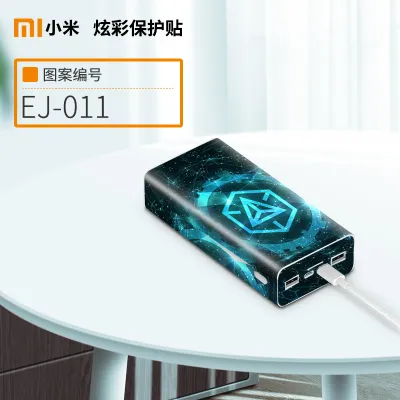
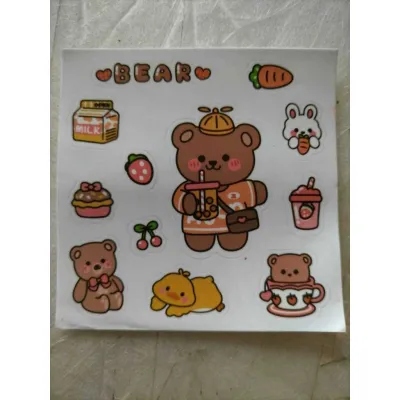
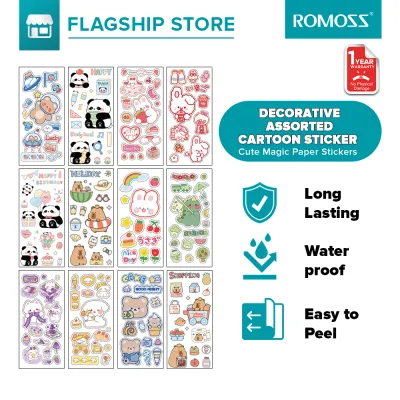
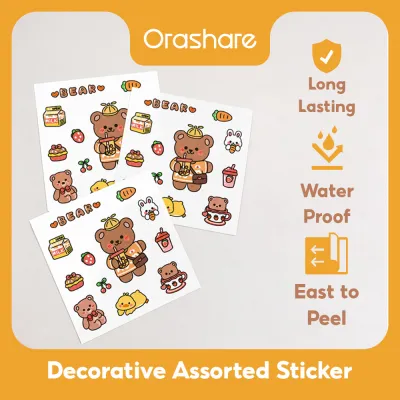
Prices are valid at publication and may change. Please refer to the product page for the latest price.
Polyethylene terephthalate (PET) stickers offer another highly durable, plastic-based alternative. PET stickers are incredibly thin, dimensionally stable, and often completely transparent, making them ideal for designs that need to blend seamlessly into the background of your device. Because PET is stiffer than vinyl, it does not stretch or conform easily to highly contoured surfaces or sharp edges. If your power bank has a flat, smooth plastic or metal face, PET stickers provide a sleek, almost printed-on appearance that resists moisture and heat exceptionally well.
Paper-based stickers, including standard planner stickers and uncoated labels, are generally unsuitable for the exterior of a frequently handled electronic device. Uncoated paper absorbs moisture from humid air and sweat from your hands, leading to rapid ink bleeding, smudging, and structural breakdown. If you have a specific paper design you absolutely must use, it requires a protective barrier, such as a clear vinyl overlay, to shield the delicate fibers from environmental wear.
Before applying any adhesive product, consult your power bank’s user manual to identify the casing material and any manufacturer warnings regarding heat dissipation. Some metal-bodied power banks use their aluminum shells as passive heat sinks to cool the internal battery cells. Covering a significant portion of a metal casing with thick, insulating vinyl layers can trap heat, potentially reducing the efficiency or lifespan of the battery. Always verify with the sticker supplier that the adhesive used is a pressure-sensitive acrylic rather than a harsh industrial solvent-based glue, which could permanently chemically bond with or melt the plastic housing of your device.
Recommended Sticker Styles by Aesthetic Preference
The visual success of your power bank customization depends heavily on how the sticker’s material finish interacts with the color and texture of the device’s casing. A glossy sticker can look strikingly vibrant on a smooth, high-gloss plastic shell, but it might clash or fail to adhere properly to a matte, textured, or rubberized surface. Conversely, matte-finished stickers offer a sophisticated, non-reflective look that complements anodized aluminum or satin-finish plastics, minimizing the appearance of fingerprints and scratches over time.

To curate a cohesive look, it is helpful to select a unified color palette and design theme before peeling off any backing. Mixing random stickers can quickly look cluttered, whereas choosing a curated sticker sheet or a themed pack ensures that the line weights, color temperatures, and illustration styles harmonize. Keep in mind that highly intricate designs with thin, delicate protruding elements are more susceptible to catching on fabrics and peeling off prematurely. Opting for designs with consolidated shapes or solid borders will significantly extend the lifespan of your decoration.
Cute and Kawaii Designs
For a playful, energetic, and character-driven aesthetic, look for stickers that utilize vibrant colors, bold outlines, and eye-catching finishes. Holographic and glitter vinyl stickers are particularly popular for this style, as they catch the light beautifully and add a dynamic, multi-dimensional quality to your device. These thick, die-cut vinyl options provide excellent physical protection against minor scuffs while making your power bank easy to spot at the bottom of a dark bag.
When applying bright, colorful designs to a dark or black power bank, verify that the stickers have an opaque white underprint layer. Without this white base, the dark casing color can bleed through the sticker’s ink, making pastel colors look muddy or dim. Additionally, glossy finishes are highly susceptible to showing micro-scratches from daily handling, so choosing high-quality laminated vinyl is essential to keep the characters looking crisp and clean.
To prevent the edges of your cute designs from lifting, prioritize sticker sheets that feature rounded corners rather than sharp, pointed details. Sharp star points, thin whiskers, or delicate lettering are the first areas to lift when subjected to the friction of daily use. If your favorite character sticker has sharp edges, you can use a pair of fine craft scissors to gently round out the corners before application, ensuring the sticker remains firmly anchored to the power bank.
Minimalist and Clean Looks
If you prefer a modern, professional, or understated aesthetic, a minimalist approach focusing on negative space and clean lines is ideal. Clear PET stickers with black or white line art, monochrome typography, or simple geometric patterns work beautifully to enhance rather than overpower the original design of your power bank. This style is particularly effective on metallic casings, where the underlying aluminum texture can show through the transparent areas of the sticker.
Achieving a successful minimalist look requires careful planning of negative space—the empty areas around and between the designs. Instead of clustering multiple stickers together, select one or two high-quality decals and place them off-center or aligned precisely with the device’s natural lines. Avoid thick, multi-layered sticker arrangements, as they add unnecessary bulk and disrupt the sleek, low-profile silhouette of a modern portable charger.
Because minimalist designs rely on precision, any misalignment, trapped dust, or air bubble will be highly visible, especially on transparent PET stickers. Take your time during application, using an alignment guide or a ruler to ensure the decals are perfectly straight. Applying the stickers slowly from one edge to the other while smoothing them down with a soft squeegee or a clean card will help you achieve a flawless, bubble-free finish that looks like a factory-printed design.
Vintage and Retro Themes
Creating a nostalgic, analog, or antique aesthetic on a modern piece of technology is a delightful design contrast. To achieve this look, seek out stickers featuring warm sepia tones, muted earth colors, botanical illustrations, or classic travel stamp designs. Materials like kraft paper and textured matte vinyl are perfect for mimicking the feel of old parchment, worn leather, or vintage luggage labels.
However, using authentic, uncoated kraft paper stickers in a humid tropical climate presents significant durability challenges. The moisture in the air, combined with natural hand oils and sweat, will quickly cause uncoated paper to soften, fray at the edges, and absorb dirt. Within a few weeks of active use, an unprotected paper sticker can transform from charmingly weathered to unhygienic and torn.
To preserve the vintage aesthetic without sacrificing durability, look for pre-laminated vinyl stickers that feature printed textures, such as faux-canvas, distressed wood grain, or aged paper patterns. These stickers provide the visual warmth of old-world materials while offering the water resistance and toughness of modern plastics. Alternatively, you can apply a high-quality, matte-finish clear protective overlay over standard paper stickers to seal them against humidity and friction.
Sizing, Layout, and Surface Compatibility
Before purchasing any stickers, it is essential to measure the exact dimensions of your power bank’s flat surfaces. Many portable chargers feature curved edges, tapered sides, or textured ridges designed to improve grip. Rigid or thick stickers, particularly those made of heavy vinyl or PET, will struggle to adhere to curved surfaces and will inevitably spring back and peel at the edges. Restricting your sticker placement to the completely flat portions of the casing ensures a secure, long-lasting bond.
When planning your layout, identify and mark the mandatory keep-clear zones on your device. Never place stickers over or directly adjacent to USB ports, USB-C inputs, power buttons, LED battery level indicators, or built-in charging cables. Obstructing these areas not only hinders the usability of your power bank but can also force adhesive residue into the ports, leading to poor electrical contact or permanent damage to your charging cables.
Furthermore, pay close attention to any ventilation grilles or heat dissipation surfaces indicated in your power bank’s user manual. While small, low-capacity power banks generate minimal heat, larger high-output models can become warm during rapid charging cycles. Covering these critical cooling zones with insulating plastic stickers can trap heat inside the enclosure, accelerating the degradation of the internal lithium-ion cells and potentially creating a safety hazard. Keep your designs localized to non-functional, solid plastic or metal panels.
Safe Application and Removal Practices
Proper surface preparation is the key to achieving a strong, bubble-free bond that lasts. Begin by wiping down the power bank casing with a clean, dry microfiber cloth to remove loose dust, lint, and fingerprints. If the surface has oily residue, dampen the cloth slightly with water or a highly diluted, mild dish soap solution, ensuring no moisture enters any of the ports. Avoid using harsh industrial solvents, acetone, or high-concentration rubbing alcohol unless specifically approved by the device manufacturer, as these chemicals can dissolve plastic casings or strip away protective matte coatings.
When you are ready to apply the sticker, peel back a small portion of the backing paper to expose one edge of the adhesive. Align the sticker carefully with your layout plan, then press the exposed edge firmly onto the casing. Slowly peel away the remaining backing paper with one hand while using a soft squeegee, a felt-tipped card, or your thumb to smooth the sticker down from the center outward. This outward motion pushes air bubbles to the edges, ensuring a smooth, uniform contact surface.
If you decide to change your aesthetic or replace a worn sticker, removal must be done with extreme care to protect both the casing and the internal battery. Slowly peel the sticker back at a very sharp, acute angle (almost flat against the surface) rather than pulling straight up. This technique minimizes the vertical tension on the power bank’s casing paint or anodized finish. If you notice the paint or coating beginning to lift or crack, stop immediately and apply a mild, electronics-safe adhesive remover to soften the glue before proceeding.
Never use sharp metal tools, such as utility knives, razor blades, or metal scrapers, to pry up stubborn stickers, as a single slip can puncture the plastic casing and damage the sensitive lithium-ion battery inside. Similarly, avoid using high-heat hair dryers or industrial heat guns to soften the adhesive. Excessive heat can cause the battery cells to swell, degrade, or fail catastrophically. If adhesive residue remains after peeling, apply a tiny amount of mild, citrus-based adhesive remover to a microfiber cloth, gently rub the sticky area until clean, and immediately wipe the surface dry.
Frequently Asked Questions (FAQ)
Can I use standard paper stickers from a planner on my power bank?
Standard paper stickers designed for planners or journals are not recommended for direct application on a power bank. Because they lack a protective plastic laminate, these uncoated paper stickers will quickly absorb moisture, hand oils, and dirt, leading to tearing, fading, and fraying edges within a few days of regular handling. If you want to use a specific paper design, you must apply a layer of clear, water-resistant vinyl tape or a dedicated clear decal sealant over the top to act as a protective barrier against friction and humidity.
Will removing stickers void my power bank's warranty?
In most cases, applying and removing cosmetic stickers will not void your power bank’s warranty, as long as the process does not cause physical damage to the device. However, if you use sharp metal tools that scratch the casing, apply excessive heat that damages the internal battery, or allow liquid adhesive removers to seep into the USB ports, any resulting malfunction will likely void your coverage. Always check your manufacturer’s warranty terms regarding cosmetic modifications, and stick to gentle, non-invasive removal methods to keep your device safe.

Community discussion
Share your experience or ask a question. Comments are reviewed before publication.