
Decorating a powerbank with stickers is a fantastic way to personalize an otherwise sterile piece of tech, turning a utility item into an extension of your personal stationery aesthetic. However, because powerbanks are high-touch devices that generate mild heat and are constantly slipped in and out of bags, standard paper stickers often peel, fray, or leave sticky residues within weeks. To ensure your decorations stay pristine, the best powerbank stickers are made from durable synthetic materials like vinyl, polyethylene terephthalate (PET), or polypropylene (PP), paired with a strong, heat-resistant adhesive. By matching the sticker’s material flexibility and size to your powerbank’s specific surface texture, you can create a beautiful, long-lasting design that withstands daily handling and tropical humidity.
Understanding Powerbank Surfaces and Sticker Requirements
Before purchasing any stickers, you must evaluate the physical characteristics of your powerbank. Powerbank casings are typically manufactured from anodized aluminum, smooth glossy plastic, matte textured polycarbonate, or rubberized silicone. Each of these materials interacts differently with adhesives. Glossy plastics and smooth metals offer the highest surface energy, allowing adhesives to bond securely. Conversely, heavily textured matte plastics and silicone-coated surfaces repel standard adhesives, requiring highly conformable materials or specialized high-tack glues to prevent the edges from lifting over time.
Temperature is another critical factor that affects adhesive performance. Powerbanks naturally generate heat during energy transfer, particularly around the internal battery cells and fast-charging ports. This localized warmth can soften low-quality adhesives, causing stickers to slide, bubble, or peel at the corners. When planning your layout, identify where your device gets warmest during use and try to keep sticker placement away from these high-heat zones.
Products mentioned in this guide
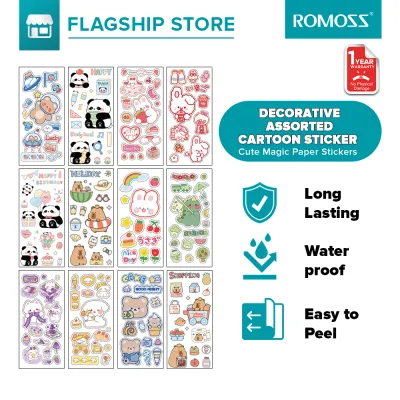
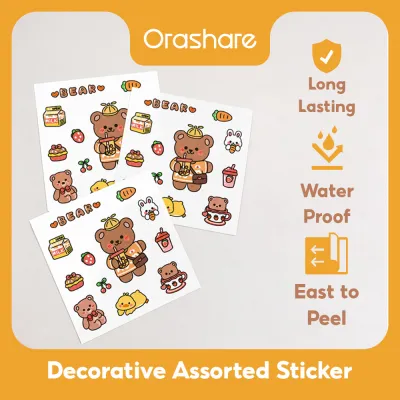
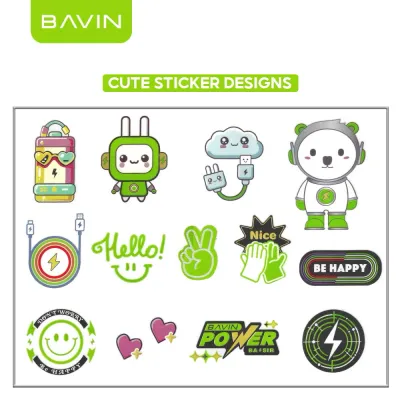
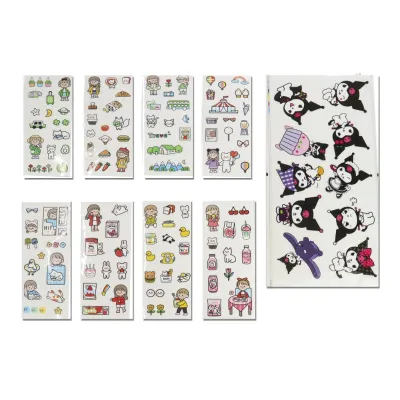
Prices are valid at publication and may change. Please refer to the product page for the latest price.
Physical contours and structural features also dictate what type of sticker will work. Many modern powerbanks feature curved edges, ergonomic ridges, or structural seams where the casing pieces meet. Standard stiff stickers cannot bend around these tight radiuses without creasing or lifting due to material tension. Additionally, placing a sticker directly over a seam or near moving parts, such as power buttons or integrated charging cables, creates friction points that will inevitably catch on your pockets or bag lining, leading to premature peeling.
Evaluating Sticker Materials for Durability and Adhesion
When browsing stationery shops or online marketplaces, you will encounter a wide variety of sticker materials, each suited to different levels of wear and tear. Synthetic films, such as vinyl, PET, and PP, are the gold standard for decorating portable electronics. Vinyl stickers are highly flexible, allowing them to conform slightly to minor surface curves, and they naturally resist water, hand oils, and friction. PET stickers, often sold as clear or holographic decorative sheets, offer excellent clarity and stiffness, making them ideal for flat surfaces but less forgiving on curved edges. Polypropylene stickers provide a balanced middle ground, offering high tear resistance and excellent moisture barrier properties.

In contrast, paper-based options like standard matte paper stickers or traditional washi tapes require a different approach. Washi tape, beloved in the journaling community for its semi-translucent texture and beautiful patterns, uses a low-tack, pressure-sensitive adhesive designed for easy removal from paper. On a high-touch powerbank, unsealed washi tape will quickly fray at the edges and peel off due to friction and humidity. If you want to incorporate the delicate, layered aesthetic of washi tape or paper stickers, you must treat them as temporary decorations or protect them under a clear, form-fitting protective case.
To verify the durability of your chosen stickers, look closely at the manufacturer’s specifications rather than relying on generic product titles. High-quality stickers intended for outdoor use, water bottles, or laptops are excellent candidates for powerbanks. Check the product description for terms like “weatherproof,” “water-resistant,” or “lamination.” A laminated finish—whether matte, glossy, or holographic—adds an extra protective layer over the printed ink, preventing your design from fading or smudging when exposed to sweat, hand sanitizer, or tropical humidity.
Adhesive strength is another specification to verify. Removable adhesives are ideal if you enjoy changing your powerbank’s theme to match your current journal spread, as they peel off cleanly without leaving stubborn residue. Permanent adhesives offer maximum longevity but may require careful cleaning with mild oils or adhesive removers when you eventually decide to strip the design. Always check the seller’s notes to confirm if the adhesive is rated for clean removal on plastic or metal surfaces.
Sizing and Placement Strategies to Prevent Peeling
Even the strongest adhesive will fail if the sticker is poorly sized or positioned. To prevent peeling, you must calculate the maximum flat surface area of your powerbank before choosing your designs. Use a standard ruler to measure the flat face of the device, stopping at least two to three millimeters away from any curved edges, seams, or ports. Keeping your stickers strictly within this flat safety zone ensures that the edges lie completely flat, eliminating the leverage points that cause lifting when the device is slid into a tight pocket.
Your layout should also respect the functional elements of the powerbank. Avoid placing stickers over LED battery indicator lights, power buttons, ventilation grates, or input/output ports. Obstructing these areas not only hinders usability but also exposes the sticker edges to constant physical contact from charging cables and fingers. If your powerbank has a textured brand logo embossed on the surface, avoid placing thin stickers directly over it, as the uneven surface will trap air pockets and weaken the adhesive bond.
When planning your design, consider the trade-offs between a single large decal and a collage of multiple smaller stickers. A single large decal covers more surface area and provides a unified look, but it requires precise alignment and is highly vulnerable if a single corner begins to lift. On the other hand, a collage of smaller die-cut stickers or sticker flakes allows for a highly customized, journal-style layout. Smaller stickers are easier to position around obstacles and are less prone to lifting because they can be placed entirely on the flattest sections of the device. If one small sticker does begin to wear, it can be easily replaced without ruining the entire design.
Step-by-Step Application and Maintenance for Longevity
Achieving a long-lasting bond requires proper surface preparation and careful application. Before applying any stickers, turn off your powerbank and unplug all cables. Clean the casing thoroughly using a lint-free microfiber cloth lightly dampened with isopropyl alcohol. Avoid using harsh household glass cleaners or abrasive scrubbing pads, which can degrade plastic coatings or scratch metal finishes. Allow the surface to air-dry completely for several minutes; even a tiny amount of trapped moisture can ruin the adhesive backing.
Once the surface is dry, plan your placement by positioning the stickers with their backing paper still attached. When you are ready to apply, peel off the backing paper slowly, holding the sticker by its edges to avoid transferring oils from your fingertips to the adhesive. Start applying the sticker from one edge, gradually smoothing it down across the surface using your thumb or a clean plastic card wrapped in a soft cloth. Work from the center outward to push out any trapped air bubbles. Pay extra attention to the borders, pressing firmly along the entire perimeter to activate the pressure-sensitive adhesive.
To maintain your decorated powerbank, establish gentle handling habits. In warm, humid climates, adhesives can become slightly soft, so avoid leaving your powerbank in direct sunlight, hot cars, or stuffed tightly inside unventilated bags while charging. Clean the decorated surface occasionally by wiping it gently with a dry or slightly damp microfiber cloth. If you notice a sticker edge beginning to lift, do not pull at it. Instead, you can try pressing it down firmly with warm fingers to reactivate the adhesive, or carefully trim the lifted corner with a pair of fine craft scissors to prevent the peeling from spreading further.
Building Your Condition-Based Sticker Shortlist
To build a reliable shortlist of powerbank stickers, match your material choices to your daily usage habits. If you carry your powerbank loose in a canvas tote bag or backpack alongside keys and stationery, prioritize heavy-duty, laminated vinyl die-cut stickers that offer maximum scratch resistance. If your powerbank primarily sits on your desk or inside a dedicated tech organizer, you can opt for more delicate decorative elements, such as PET sticker sheets, metallic foil stickers, or even layered washi tape sealed under a clear protective sleeve.
Budgeting for your decoration project involves comparing different packaging formats. Individual die-cut vinyl stickers generally cost more per piece (ranging from ₱15 to ₱50 each) but offer superior durability and thickness. Sticker sheets, which contain multiple pre-cut designs on a single backing, are highly cost-effective (often priced between ₱30 and ₱100 per sheet) and are excellent for creating cohesive, themed collages. For the best value, look for sticker packs or sheets that explicitly state they are printed on waterproof vinyl or PP film.
Before making a purchase, run through a quick verification checklist:
- Material: Is it vinyl, PET, or PP? (Avoid unprotected paper for high-touch areas).
- Finish: Is there a protective laminate (matte, glossy, or holographic) to prevent ink fading?
- Size: Do the sticker dimensions fit within the flat boundaries of your powerbank?
- Adhesive: Is it rated as removable or permanent based on your preference for changing designs?
When sourcing your stickers, look for specialized stationery boutiques, local independent artists, or verified sellers on e-commerce platforms. Check customer reviews specifically for photos of the stickers applied to water bottles, laptops, or phones, as these real-world applications are excellent indicators of how well the adhesive will hold up on your powerbank.
Frequently Asked Questions (FAQ)
Can I use standard paper stickers on a powerbank?
Standard paper stickers are not recommended for direct application on a powerbank. Untreated paper lacks resistance to moisture, hand oils, and friction, meaning the printed design will quickly smudge, and the edges will fray and peel within a few days of regular handling. However, if you have a favorite paper sticker or washi tape design you absolutely want to use, you can apply it to the powerbank and then protect the entire device with a clear, snug-fitting silicone or plastic case. This keeps the paper dry and shielded from physical wear.
Will removing stickers damage the powerbank surface?
In most cases, removing high-quality synthetic stickers will not damage your powerbank’s surface. To remove them safely, slowly peel the sticker back at a sharp angle rather than pulling straight up, which minimizes tension on the casing. If any sticky residue remains, gently rub it with a drop of cooking oil or a specialized adhesive remover on a microfiber cloth, then wipe it clean. Avoid using harsh chemical solvents like acetone or scraping the surface with metal blades, as these can melt plastic casings, strip anodized coatings, or void your device’s warranty.

Community discussion
Share your experience or ask a question. Comments are reviewed before publication.