
Choosing between a Sharp and a CASIO scientific calculator in the Philippines often comes down to a balance between institutional requirements, keyboard ergonomics, and personal display preferences. While both brands offer highly capable devices for high school, college, and professional board exams, their design philosophies differ. CASIO is often the default standard in Philippine classrooms, making it easy to follow along with teachers, whereas Sharp offers unique keyboard layouts and competitive value that appeal to independent thinkers and engineering students.
Key Differences Between Sharp and CASIO Scientific Calculators
When shopping for a scientific calculator in the Philippines, understanding each brand’s general positioning helps narrow down your choices. CASIO has established a dominant presence in the local educational landscape. From junior high school to review centers for professional engineering board exams, many instructors base their step-by-step tutorials on CASIO’s key layouts and menu structures. This widespread adoption makes CASIO an incredibly convenient choice for students who want to follow classroom demonstrations without translating button sequences.
Sharp, conversely, positions itself as a robust and highly ergonomic alternative. Known for its WriteView technology, Sharp calculators allow users to enter and view formulas exactly as they are written in textbooks. While CASIO offers a similar feature under its Natural V.P.A.M. system, Sharp models often appeal to users who prefer a different tactile feel, distinct button arrangements, and competitive pricing tiers.
Products mentioned in this guide
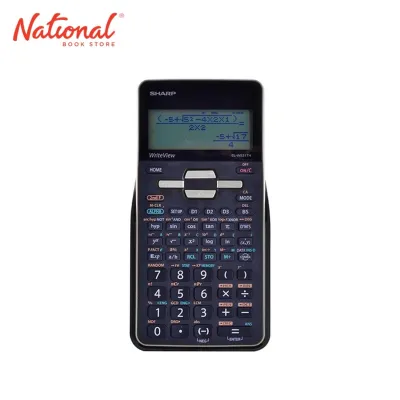
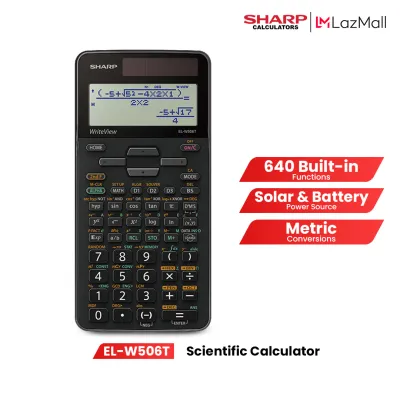
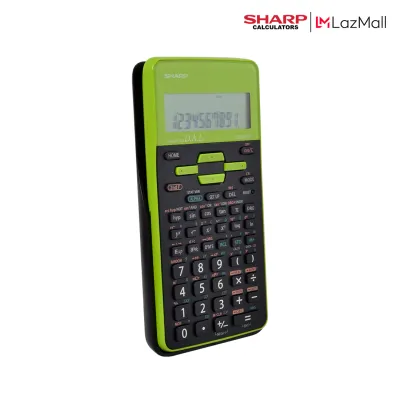
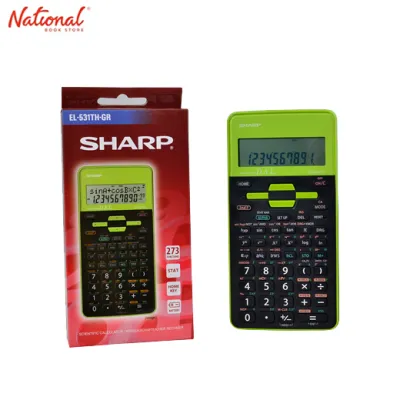
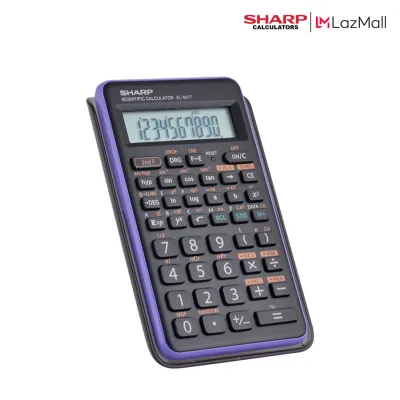
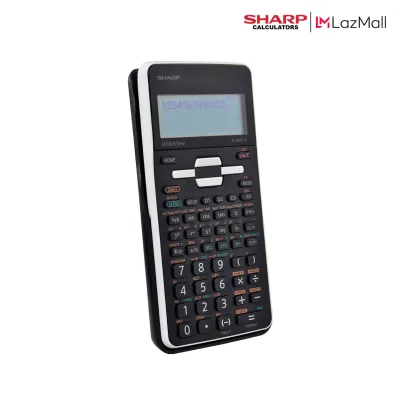
Prices are valid at publication and may change. Please refer to the product page for the latest price.
The target audience spans several levels: high school STEM students requiring pre-calculus tools, college engineering majors needing advanced equation-solving, and professionals preparing for licensure examinations administered by the Professional Regulation Commission (PRC). Each group has distinct requirements regarding function complexity and exam compliance.
To make the right choice, you must evaluate several core decision criteria. These include the display type, the physical button layout, the specific mathematical functions permitted by your institution, and the overall build quality. Balancing these factors ensures you select a tool that supports your academic journey without causing unnecessary friction during timed exams.
Display, Interface, and Button Layout
The display is your primary interface with the calculator, making screen technology a critical factor to consider. Both brands offer models featuring natural textbook displays, which render fractions, square roots, integrals, and derivatives exactly as they appear in print. CASIO refers to this as Natural V.P.A.M., while Sharp uses the term WriteView. For entry-level or budget-friendly models, both brands still utilize standard dot-matrix displays, which show calculations in a single line and require a solid understanding of algebraic syntax.

When evaluating screens, consider lighting. Natural displays are highly readable under bright classroom lights but can suffer from glare in dimly lit study areas. Many advanced models allow contrast adjustment through settings, which is worth verifying on the manufacturer’s specification sheet before making a purchase.
Button placement and tactile feedback significantly influence your typing speed and accuracy. Sharp calculators are widely recognized for their firm, clicky keys that provide distinct tactile feedback with every press. This can prevent accidental double-presses or missed inputs during fast-paced exams. CASIO keys, on the other hand, tend to have a smoother, softer travel, which some users find more comfortable for prolonged calculation sessions.
Key layouts also differ in subtle but important ways. For instance, the location of the clear keys, backspace keys, and shift functions varies between the two brands. Sharp calculators often feature a dedicated key to toggle between fraction and decimal forms, whereas CASIO utilizes a key labeled with an “S-D” symbol. Before purchasing, it is highly beneficial to handle both brands in a local stationery store to check if the layout matches your current typing habits and muscle memory.
Core Functions, Memory, and Exam Compliance
Evaluating the mathematical capabilities of a scientific calculator requires a close look at the manufacturer’s specification sheet. Standard scientific calculators from both brands offer a wide array of functions, typically ranging from 200 to over 600 distinct operations. For basic high school math, functions like trigonometry, logarithms, and basic statistics are standard across all models. However, college-level courses in engineering and physics demand advanced capabilities such as matrix calculations, vector analysis, complex numbers, and numerical integration.
Memory capacity also varies. Most standard models offer independent variables (A through F, X, Y, and M) to store intermediate values. Some advanced Sharp models feature formula memory for quick recall, while CASIO models often focus on structured spreadsheet functions or matrix memories that simplify multi-step engineering problems.
In the Philippines, the most critical step in choosing a scientific calculator is verifying exam compliance. The Professional Regulation Commission (PRC) enforces strict guidelines regarding the specific calculator models allowed in professional licensure examinations, such as those for civil, mechanical, and electrical engineering. Certain advanced models with programmable features, text storage, or graphing capabilities are strictly prohibited to maintain exam integrity.
To avoid purchasing a calculator that you cannot use in your board exams, always consult the latest official PRC resolutions and permitted model lists. These lists are updated periodically and specify the exact model numbers allowed in the testing room. Additionally, many universities and high schools have their own internal policies regarding calculator usage during midterms and finals. Always check with your department or instructor before investing in an advanced model.
Power Sources, Build Quality, and Maintenance
A scientific calculator is a long-term investment that should last throughout your academic career, making power options and build quality essential considerations. Both brands offer models with dual-power systems, which combine a solar panel with a backup button cell battery. Dual-power models are highly recommended for the tropical climate of the Philippines, as classroom and study hall lighting is usually sufficient to run the device on solar power, significantly extending the lifespan of the internal battery.
Battery-only models are typically more affordable upfront but require replacements. Check whether the calculator uses standard AAA batteries or smaller button cells like the LR44. AAA-powered models are slightly bulkier but offer the convenience of easily accessible replacements at local convenience stores.
Build quality is vital for a device that will spend years inside a heavy backpack. Both Sharp and CASIO construct their calculators from durable, impact-resistant plastics designed to withstand daily wear and tear. Most models include a slide-on hard cover that protects the screen and keyboard from scratches, dust, and accidental key presses when stored. Look for models with sturdy hinge designs and secure locking mechanisms on the protective cover.
Maintaining your calculator in the humid Philippine climate requires a few simple precautions. High humidity can eventually cause moisture buildup or battery leakage inside the compartment. To prevent this, store your calculator in a dry section of your bag and avoid leaving it in damp environments. Clean the keyboard and screen regularly using a dry, lint-free microfiber cloth. Avoid using wet wipes, liquid cleaners, or harsh chemical solvents, as these can seep into the casing or strip the printed labels off the keys.
Evaluating Price, Availability, and Overall Value
When comparing the cost of Sharp and CASIO calculators in the Philippines, you will find options across several distinct pricing tiers. Entry-level models, which are perfect for junior high school and general education courses, typically range from ₱500 to ₱900. Mid-range models featuring natural textbook displays and basic matrix functions generally cost between ₱1,000 and ₱1,500. Advanced models designed for engineering majors and board exam reviewees can range from ₱1,600 to over ₱2,500.
To ensure authenticity, buy from authorized office supply chains, department stores, or official brand stores on online marketplaces. Counterfeit calculators are common locally and suffer from poor build quality, inaccurate algorithms, and short battery lives. Authentic units feature holographic security stickers and official warranty cards.
Evaluating overall value goes beyond the initial purchase price. Consider the long-term costs associated with battery replacements and the expected durability of the device. A genuine calculator from either brand that lasts five years of rigorous academic use offers far better value than a cheaper, unbranded alternative that fails during a crucial exam. Additionally, choosing a brand with a strong local presence ensures easier access to customer support and warranty services if needed.
Final Decision Framework: Which Brand Should You Choose?
Making your final decision between Sharp and CASIO depends on your specific academic path, personal preferences, and institutional rules. Both brands produce exceptionally reliable tools, but they cater to slightly different user priorities. By aligning your daily workflow with the strengths of each brand, you can select the model that will serve you best.
Choose CASIO if your priority is standard curriculum alignment and peer support. Since CASIO is the most widely used brand in Philippine schools, it ensures you can easily follow teacher instructions and find abundant tutorials. It is also the safest choice for PRC board exams, as standard CASIO models are consistently permitted.
You should choose Sharp if you prefer a highly tactile typing experience, distinct keyboard layouts, or specific display features like the WriteView system. Sharp calculators often provide excellent value, offering advanced mathematical functions at highly competitive price points. If you are an independent learner who does not rely on step-by-step classroom demonstrations, a Sharp calculator can be a powerful and ergonomic companion.
Before making your final purchase, always perform a few essential checks. Verify the exact model number against your school’s syllabus or the official PRC permitted list. If possible, visit a local stationery store to test the physical keys and screen readability in person. Taking these steps ensures your chosen scientific calculator remains a reliable partner throughout your academic and professional journey.
Frequently Asked Questions (FAQ)
How do I completely reset a Sharp or CASIO scientific calculator to factory settings?
To reset a CASIO calculator, press Shift, then 9, select the option to clear all (usually 3 or All), and press = then AC. For a Sharp calculator, press 2ndF, then Alpha, select the reset option, and confirm. A factory reset permanently erases all stored variables and formulas, so back up critical data first. If these sequences fail, consult your model’s manual.
Can I use a protective case or skin on my scientific calculator?
Most scientific calculators are supplied with a custom-fitted, slide-on hard cover designed to protect the screen and keyboard during daily transport. While decorative skins or third-party silicone cases are widely available on online marketplaces, you must ensure they do not obstruct the calculator’s functionality. Avoid using heavy adhesives directly on the plastic casing, as they can leave sticky residues, damage the printed key labels, or block the solar panel on dual-power models. Additionally, silicone skins can sometimes trap moisture in humid tropical climates, potentially leading to internal corrosion over time. Relying on the manufacturer’s original slide-on hard cover remains the safest and most practical way to protect your device from drops and scratches.

Community discussion
Share your experience or ask a question. Comments are reviewed before publication.