
Quick Answer: Choosing the Right Deli Bond Paper Weight
Selecting the ideal paper weight for your home or office depends entirely on your specific printing needs, as no single option excels in every scenario. For high-volume printing, internal drafts, and student notes where cost-efficiency is the primary goal, 70gsm is the most economical choice. For everyday office documents, standard letters, and single-sided reports, 80gsm serves as the versatile, reliable industry standard that balances quality and price. For formal business presentations, contracts, certificates, and double-sided prints that require heavy ink coverage, 100gsm provides a premium, heavy-duty feel with maximum opacity.
Before purchasing thicker paper, always verify your printer’s maximum supported paper weight. Standard office copiers and home printers handle everyday paper weights with ease, but thicker options like 100gsm can occasionally cause feed issues or paper jams in light-duty machines that are only rated for up to 80gsm or 90gsm. Matching the paper weight to your specific equipment and document goals ensures smooth operation and professional results.
Understanding GSM: How Paper Weight Affects Your Prints
To make an informed decision, it is essential to understand the primary metric used to measure paper: GSM, which stands for Grams per Square Meter. This metric defines the density and weight of the paper by measuring a single sheet of paper cut to one square meter. A higher GSM rating directly translates to a thicker, heavier, and more robust sheet of paper. While Deli offers several specialized paper lines, the physical characteristics of 70gsm, 80gsm, and 100gsm paper follow these universal industry standards.
Products mentioned in this guide
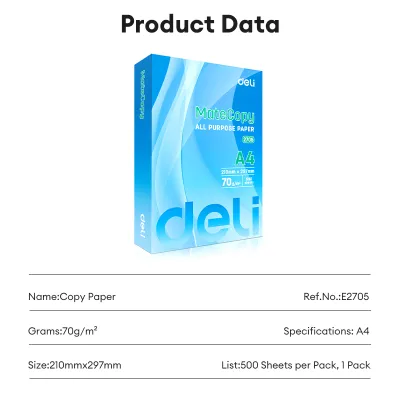
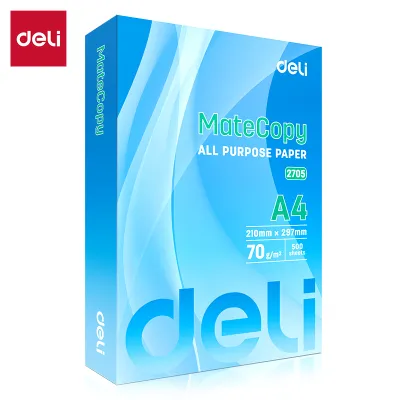
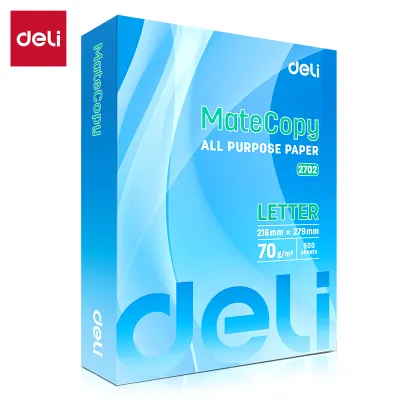
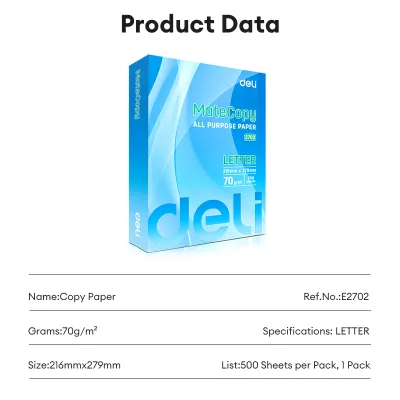
Prices are valid at publication and may change. Please refer to the product page for the latest price.

The GSM of a sheet of paper directly influences three critical performance factors: thickness, opacity, and stiffness. Thickness determines the tactile feel and physical durability of the document, which can affect how a recipient perceives the importance of the text. Opacity dictates how much light passes through the sheet, which determines whether ink or toner printed on one side will show through to the other. Stiffness determines how rigidly the paper holds its shape as it is pulled through the mechanical rollers of a printer or copier.
Environmental factors also play a significant role in how these paper weights perform in daily use. In tropical climates with high relative humidity, such as the Philippines, paper fibers naturally absorb moisture from the surrounding air. This moisture absorption can compromise the structural stiffness of the paper, causing it to sag, curl, or feed unevenly. Understanding how different weights interact with moisture, ink, and printer hardware is key to selecting the right ream for your workspace.
70gsm Bond Paper: Best for High-Volume Drafts and Notes
At 70gsm, this bond paper is the lightest and thinnest option in the standard office range. It is highly flexible and lacks the structural rigidity of heavier sheets, giving it a noticeably soft and lightweight feel. Because it uses fewer wood fibers per square meter, it is translucent when held up to the light, meaning that text printed on one side is easily visible from the back.
This weight is highly suited for high-volume, low-stakes printing tasks where minimizing operating costs is the top priority. It is the ideal choice for printing internal office memos, preliminary document drafts, high-volume black-and-white text files, and student scratch paper. Schools and tutoring centers frequently rely on 70gsm paper for distributing daily worksheets and study guides, as the lower cost per ream allows for high-volume distribution without straining tight budgets.
However, 70gsm paper has clear limitations when it comes to ink compatibility and presentation quality. Because of its low opacity, it is highly prone to show-through and ink bleed-through, making it unsuitable for double-sided printing. If you write on it with heavy gel pens, fountain pens, or liquid highlighters, the ink will likely saturate the thin fibers, causing the paper to warp, wrinkle, or feather. It also lacks the substantial feel required for formal business correspondence or client-facing documents.
Regarding printer handling, 70gsm paper generally feeds well through modern, well-maintained office machines, but it requires careful attention. Because the thin sheets curl easily when subjected to the intense heat of laser printer fuser units, they can occasionally jam in high-speed copiers. To minimize this risk, ensure that the paper tray guides are adjusted tightly against the stack to prevent the sheets from shifting or feeding at an angle.
80gsm Bond Paper: The Reliable Everyday Standard
At 80gsm, this paper represents the universal industry standard for everyday office printing. It offers a balanced thickness, reliable stiffness, and moderate opacity that satisfies the vast majority of document requirements. It feels substantial in the hand without being overly heavy, making it the default choice for corporate environments, government offices, and home workspaces.
This versatile weight is recommended for standard office documents, legal drafts, single-sided business letters, school reports, and general photocopying. It provides a clean, professional appearance that is suitable for both internal use and external communication. Standard ballpoint pens, gel pens, and pencils write smoothly on 80gsm paper without causing excessive ghosting, and the paper holds its shape well under standard printing conditions.
While 80gsm paper is a significant upgrade over 70gsm in terms of physical structure, it still has limitations when subjected to heavy ink or double-sided printing. If you plan to print double-sided documents that contain dense black text, bold headings, or small charts, you will notice a moderate amount of show-through. While the ink may not physically bleed through the page, the shadow of the text on the reverse side can reduce readability. For documents featuring heavy color graphics, solid blocks of ink, or high-saturation inkjet prints, 80gsm may still suffer from slight warping.
For the average home or office setup, 80gsm paper offers the best balance of cost, professional appearance, and reliable printer compatibility. It feeds smoothly through almost all laser and inkjet printers without curling or jamming, making it a dependable, hassle-free option for daily operations.
100gsm Bond Paper: Ideal for Premium and Double-Sided Prints
At 100gsm, this bond paper is a heavy-duty, premium option designed for high-quality printing. It is noticeably thick, stiff, and highly opaque, offering a substantial tactile feel that closely resembles lightweight cardstock. When you hold a sheet of 100gsm paper, it resists bending and maintains a crisp, professional structure.
This premium weight is the ideal choice for documents that must convey high value and professionalism. It is highly recommended for formal business contracts, presentation handouts, resumes, certificates, and marketing brochures. Furthermore, 100gsm paper is the standard for double-sided printing (duplexing). Its high opacity ensures that even dark text, colorful charts, and high-density graphics printed on one side will not show through to the other, preserving clean readability on both sides of the sheet.
The primary trade-off of 100gsm paper is its higher cost per ream, which makes it less practical for high-volume, everyday drafts. Additionally, its physical thickness and stiffness introduce hardware compatibility considerations that do not apply to lighter papers.
Before loading 100gsm paper into your printer, check the equipment’s user manual or manufacturer specification sheet to verify the maximum supported paper weight. Some budget home printers or compact office copiers are designed to handle paper only up to 80gsm or 90gsm. Attempting to feed 100gsm paper through these machines can result in frequent paper jams, misfeeds, or accelerated wear on the pickup rollers. If your printer struggles to pull 100gsm paper from the main cassette, using the manual bypass tray or rear feed slot can help bypass tight roller curves and ensure a smoother paper path.
Comparison Table and Decision Framework
To help you quickly evaluate the differences between these three paper weights, the table below summarizes their physical properties, performance characteristics, and primary applications based on standard paper behavior.
| Weight (GSM) | Thickness & Opacity | Primary Use Case | Double-Sided Suitability | Printer Jam Risk |
|---|---|---|---|---|
| 70gsm | Low thickness; translucent; highly flexible | High-volume drafts, student notes, internal memos, scratch paper | Not recommended; high show-through and ink bleed | Low to moderate; prone to curling under high heat |
| 80gsm | Standard thickness; moderate opacity; reliable stiffness | Everyday office documents, letters, reports, general copying | Acceptable for text-only; minor show-through with graphics | Very low; universally compatible with standard printers |
| 100gsm | High thickness; high opacity; premium stiff feel | Contracts, resumes, presentations, double-sided color prints | Excellent; minimal to no show-through | Moderate; requires verification of printer weight limits |
Practical Decision Framework
To finalize your purchasing decision, match your specific daily activities to the following scenarios:
- Choose 70gsm if you manage a high-volume copying environment, print large quantities of internal text drafts, or need economical paper for student worksheets and study notes. This weight is best when cost-efficiency is your primary driver and you do not require double-sided printing or premium presentation quality.
- Choose 80gsm if you need a versatile, reliable paper for daily office operations, single-sided business letters, standard reports, and general printing. This weight is the safest default choice for home and office environments, offering a professional look and hassle-free compatibility with all standard printer models.
- Choose 100gsm if you are printing client-facing proposals, legal contracts, professional resumes, certificates, or double-sided documents with heavy ink, dark text, or color graphics. This weight is best when you want to make a premium tactile impression and have verified that your printer can handle thicker media.
- Verify first if you are purchasing 100gsm paper for an older or compact printer model, or if you plan to store large quantities of paper in a highly humid, non-climate-controlled environment where moisture absorption can affect paper performance.
Printer Compatibility and Paper Storage Tips
Achieving clean, jam-free prints involves more than just selecting the right paper weight; it also requires proper printer configuration and paper maintenance. Every printer has specific limitations regarding the paper weights it can reliably feed. To find your machine’s limits, look up the model’s user manual online or check the manufacturer’s website under “media specifications” or “supported paper weight.” If you are printing on 100gsm paper and experience frequent misfeeds, try utilizing the printer’s manual feed tray or rear bypass slot. These alternative paths feature a straighter feed trajectory, which reduces the bending angle and allows stiffer sheets to pass through the rollers smoothly.
In humid, tropical regions like the Philippines, paper care is a critical factor in preventing printer malfunctions. Bond paper is highly hygroscopic, meaning it naturally absorbs moisture from the surrounding air. When paper absorbs excess moisture, the edges can become wavy, the sheets can stick together due to static and dampness, and the paper can curl severely as it passes through the hot fuser unit of a laser printer. This moisture absorption is a leading cause of paper jams, regardless of whether you are using 70gsm, 80gsm, or 100gsm paper.
To protect your paper and ensure consistent print quality, follow these storage best practices:
- Keep paper sealed: Leave bond paper in its original, moisture-resistant wrapper until you are ready to load it into the printer. The wrapper is designed to act as a barrier against atmospheric humidity.
- Store flat and elevated: Always store paper reams flat on a shelf or in a cabinet. Avoid storing paper boxes directly on concrete floors, as moisture can migrate from the ground into the cardboard and ruin the bottom reams.
- Load only what you need: Avoid leaving large stacks of paper in the printer's open input tray overnight or over the weekend, especially during the rainy season. Load only the amount of paper you expect to use for your current printing task, and return any remaining sheets to a sealed container or plastic storage box.
Frequently Asked Questions (FAQ)
Can I use 100gsm Deli bond paper in a standard home inkjet printer?
Yes, most modern home inkjet printers can handle 100gsm bond paper, but compatibility depends on your specific printer model. Many budget or ultra-compact inkjet printers are optimized for standard 70gsm to 80gsm paper and may struggle with the stiffness of 100gsm sheets. To prevent paper jams, consult your printer’s manual to confirm its maximum supported media weight. If your printer has a rear feed slot or a manual bypass tray, using that path instead of the bottom paper cassette will reduce the bending angle of the paper and ensure a smoother feed.
Why does my 70gsm paper keep jamming in the office copier?
Thin 70gsm paper is more susceptible to jamming due to its flexibility and susceptibility to environmental changes. In humid conditions, 70gsm paper quickly absorbs moisture, causing the sheets to cling together or curl as they pass through the high-heat fuser of an office copier. Additionally, worn pickup rollers on older copiers may struggle to grip thin sheets individually, leading to double-feeds. To resolve this, ensure your paper is stored in a dry, sealed environment, fan the paper stack thoroughly before loading it to break any static cling, and verify that the paper tray guides are snugly adjusted against the stack.
Is 80gsm paper thick enough for printing professional resumes?
An 80gsm sheet of paper is acceptable and looks clean for standard, everyday resume submissions, especially if you are printing single-sided text. However, if you are attending an in-person interview and want to make a strong, professional impression, upgrading to 100gsm paper is highly recommended. The added thickness and weight of 100gsm paper provide a premium tactile feel that stands out in a stack of standard documents, conveying a sense of quality and attention to detail before the interviewer even reads your qualifications.

Community discussion
Share your experience or ask a question. Comments are reviewed before publication.